New features: ilert AI SRE GA, ilert CLI, Compass and more



ilert AI SRE is now generally available. Alongside it, this quarter brings Compass, a lifecycle assistant that surfaces the next move during an incident, a dedicated space for postmortems, rich incident cards in Microsoft Teams and Google Chat, on-call schedules that follow support hours and holidays, a new CLI, and dark mode. Here's everything that shipped.
ilert AI SRE
ilert AI SRE is now generally available
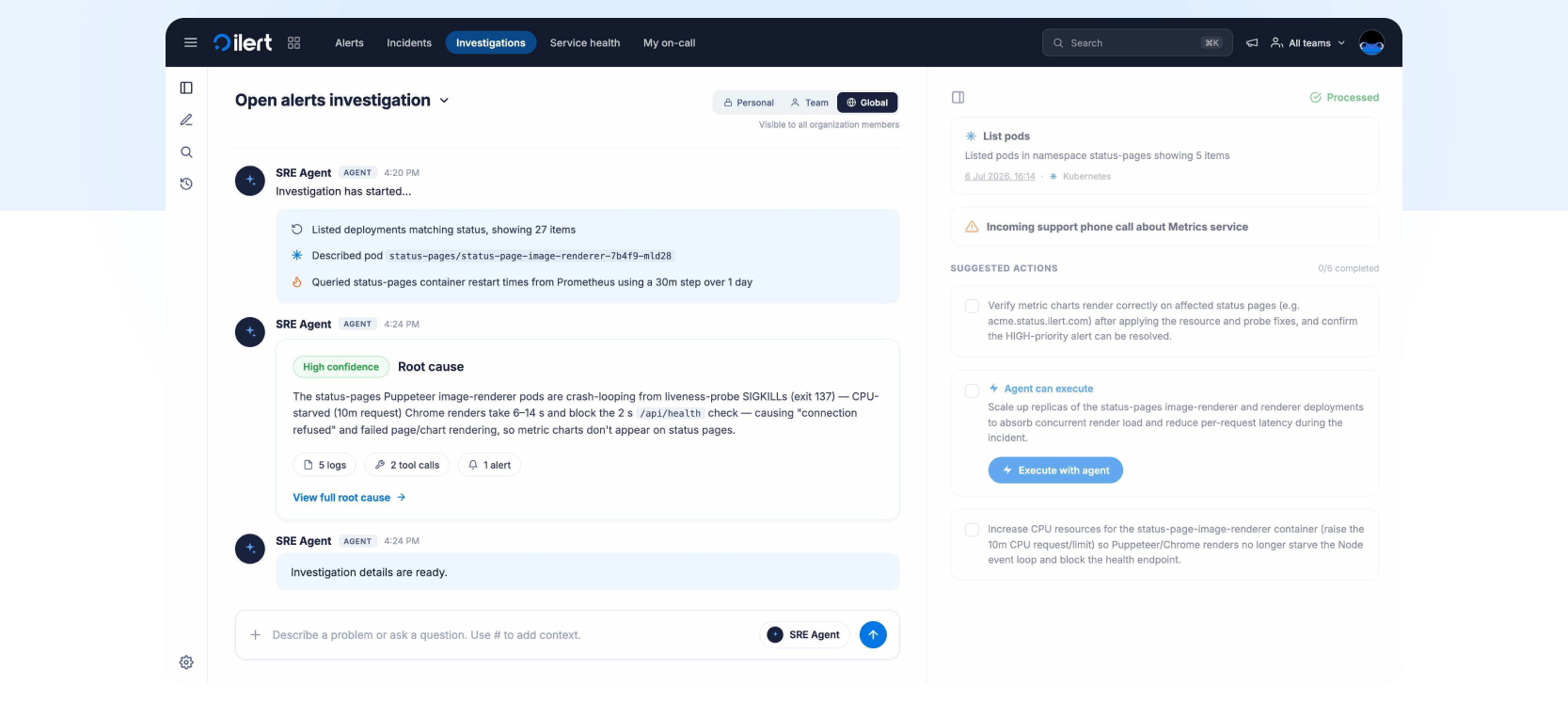
ilert AI SRE is now generally available on every paid plan and during trials. Start an investigation from an alert, from an incident, or by describing what you're seeing in the agent's chat. The agent searches logs, metrics, traces and recent changes, including deployments, config changes and merged pull requests. When an alert storm hits, it first triages the alerts into clusters and then investigates each one.
Every investigation returns a root cause hypothesis with a high, medium or low confidence label, key findings linked to their evidence, what it ruled out, and, where it makes sense, a proposed action such as a rollback. Nothing changes on your systems until an engineer approves it. In our chaos tests across a dozen fault scenarios, the median time from alert to first finding was 194 seconds. AI runs the investigation. You make the call.
All AI workloads run on dedicated infrastructure in our EU regions, Frankfurt and Stockholm. We don't train on your data and have opted out of training with every model provider we use. AI SRE runs on the AI credits included in your plan: 250 per month on Pro, 1,000 on Scale and 5,000 on Enterprise. Read the GA announcement for how it works and how we test it, or see the ilert AI SRE page. To set up your first agent, see the AI SRE docs.
Incident Management
Compass: your incident lifecycle assistant
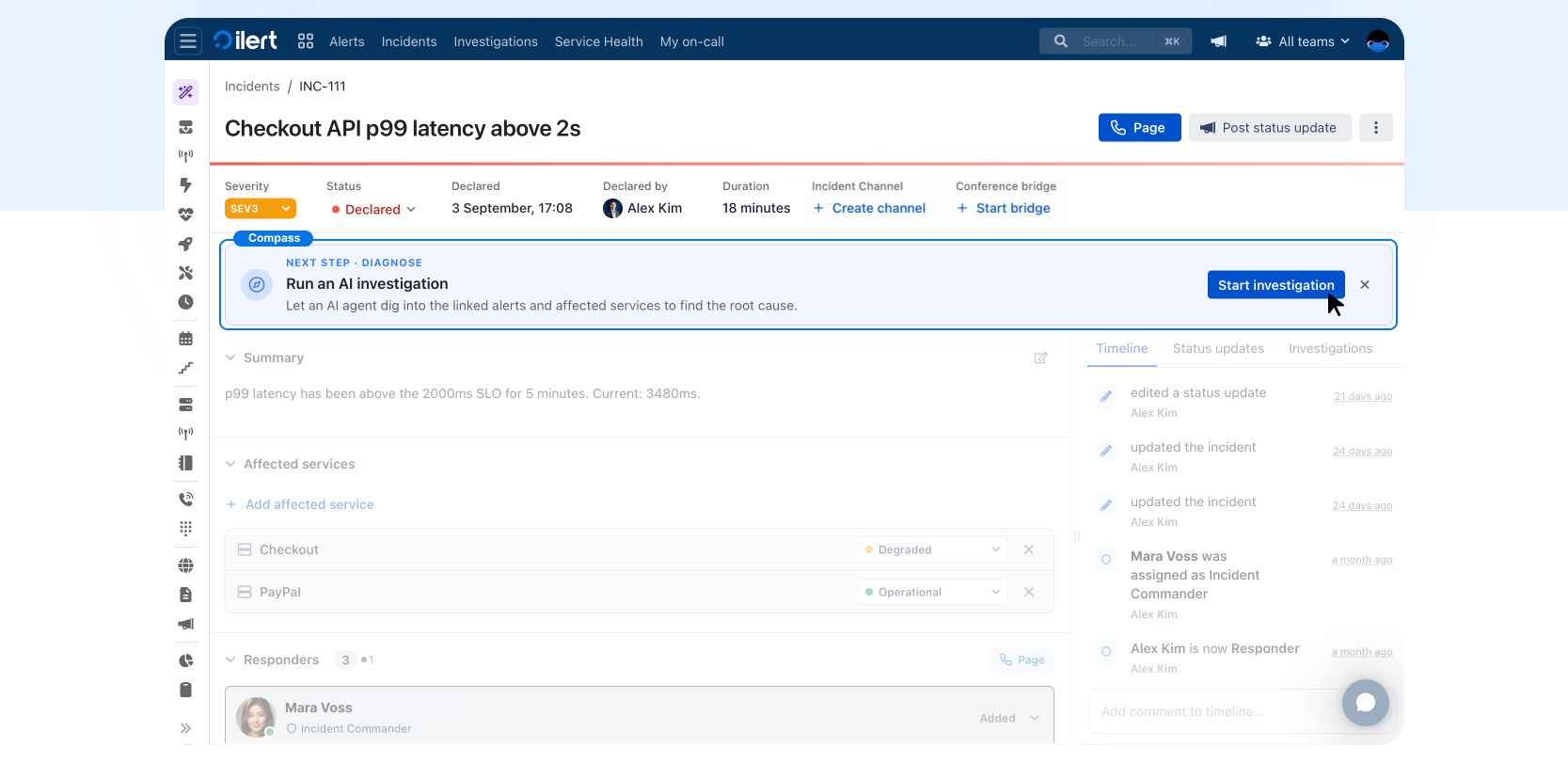
Compass is the newest addition to incident management in ilert. During an incident, it follows along with you and surfaces the next move: start an AI SRE investigation, post a status update when your status page is out of date, or resolve the incident once things have stabilized. When nothing needs doing, Compass tells you that too, so it keeps noise to a minimum. More in the incident docs.
Postmortems get their own space in ilert
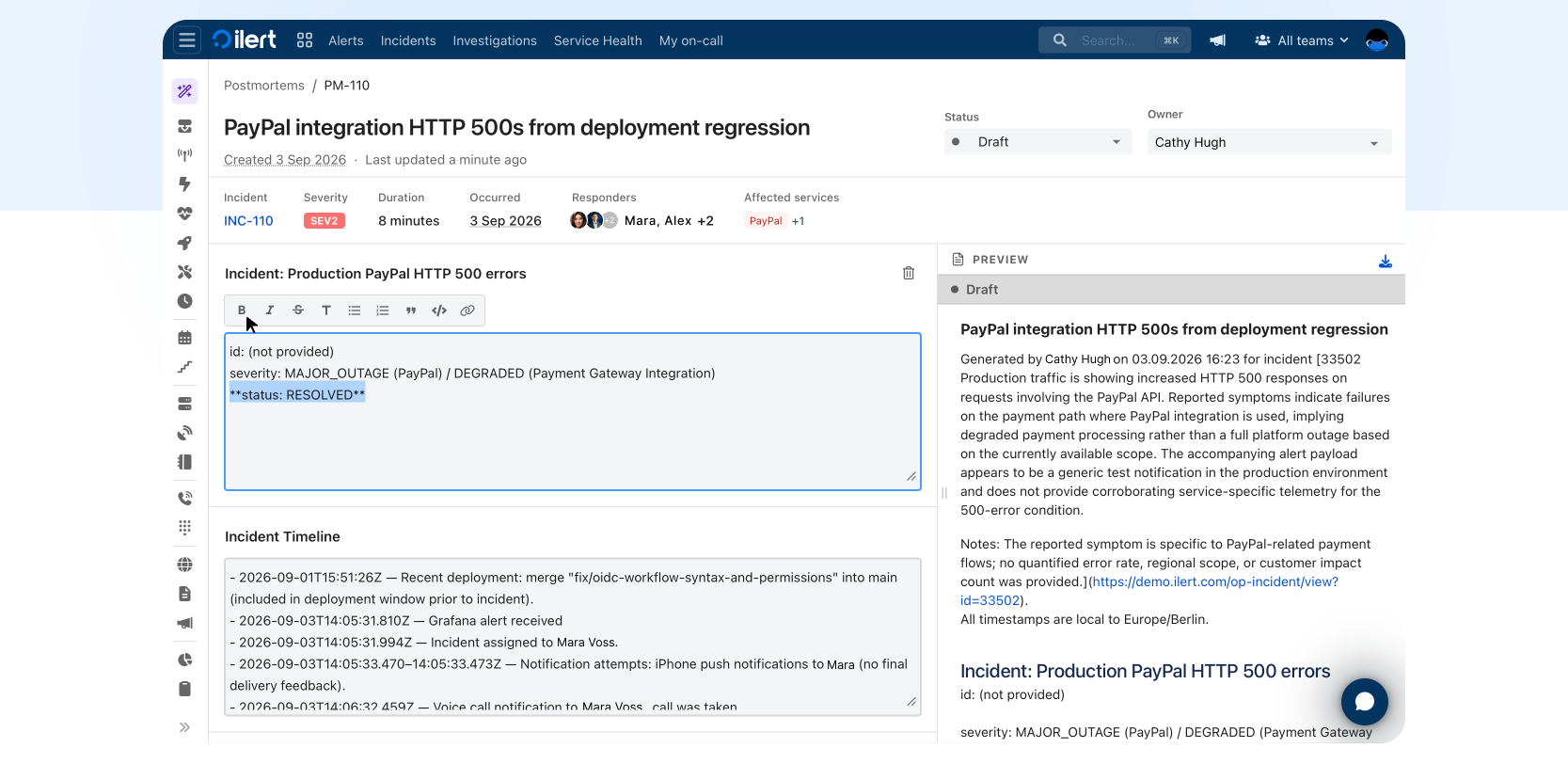
Postmortems now have a dedicated space in ilert. When an incident is resolved, use ilert AI to draft a postmortem from the full incident context, including the timeline and chat conversations. Edit or add sections until the draft is right, then publish it internally or to your status page. More in the postmortem docs.
Service topology and the Service Health map
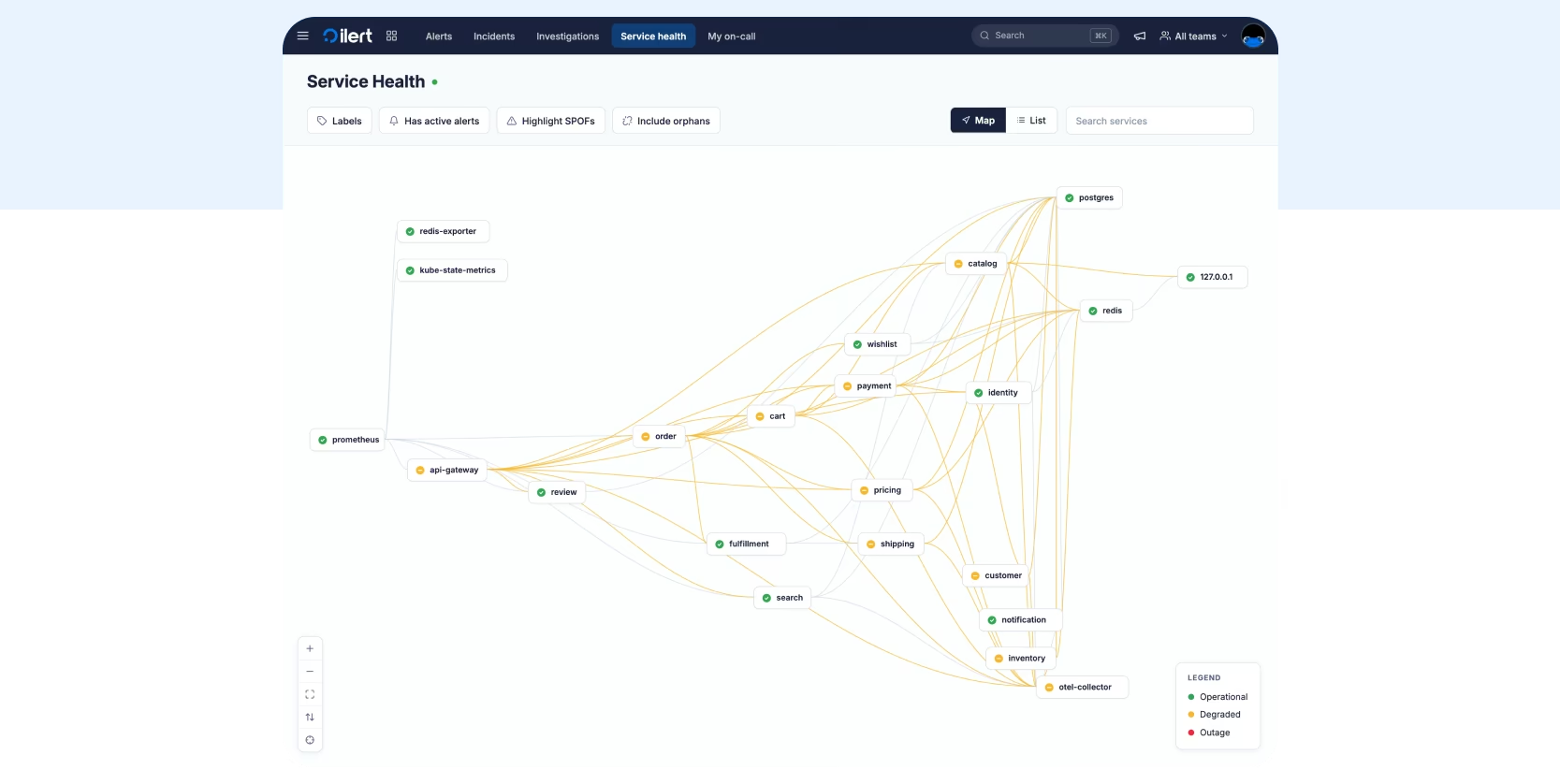
Service topology gives you a live map of your services and how they depend on each other, built automatically from your OpenTelemetry traces instead of a static architecture diagram. Connect a telemetry source and point your OpenTelemetry Collector or SDK at ilert’s OTLP endpoint. ilert derives the service-to-service dependencies, adds new services to your catalog, and keeps the graph current as traces arrive. It’s push-based, so you never share credentials with ilert.
During an incident, select a service on the Service Health map to see its blast radius upstream and its root-cause candidates downstream, next to its open alerts and recent incidents. AI SRE also uses the graph during alert triage to work out where a problem starts.
Service topology is now generally available. Connect a telemetry source to start building your map, or read the service topology docs.
Agents and automation
A new ilert CLI, ready for your AI agent
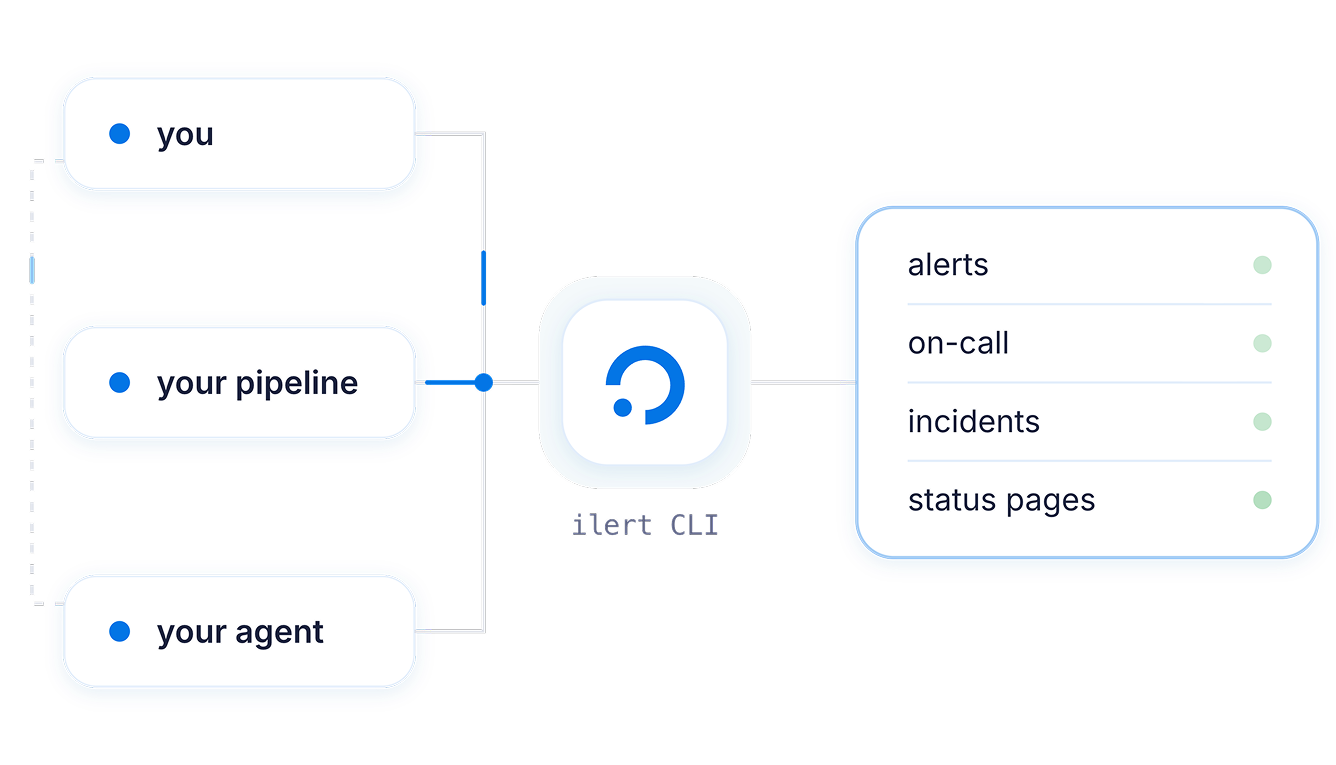
We shipped an updated ilert CLI: one binary for you, your pipeline and your AI agent. It builds its command tree from ilert's OpenAPI spec at runtime, so every API endpoint is reachable and the CLI can't fall behind the API. Sign in with ilert auth login, or set ILERT_API_KEY in CI.
Point Claude Code, Codex, Cursor or any other agent at it, and anything you can do in ilert, your agent can do too, described in plain language instead of clicked through a UI. Ask it who is on call for payments-platform right now and what happens if they miss the page, or have it create an alert source for checkout-api, route it to the right schedule and hand you the integration key.
It's built to be safe to hand over. Destructive commands don't run unattended, --dry-run shows the whole plan before anything is sent, output is machine-readable, and credentials stay out of the conversation.
The CLI also takes the manual rebuild out of switching providers. Your agent reads your current Opsgenie, PagerDuty or other setup with a read-only token, then stages the rebuild in ilert with --dry-run in dependency order: users and teams, then schedules, escalation policies, alert sources and status pages. Nothing changes until you approve the plan.
Moving off Opsgenie before it shuts down on April 5, 2027? Plan your migration or follow the CLI migration guide.
Get started on the ilert CLI page or in the CLI docs.
ChatOps
Run incidents from Slack, Microsoft Teams or Google Chat
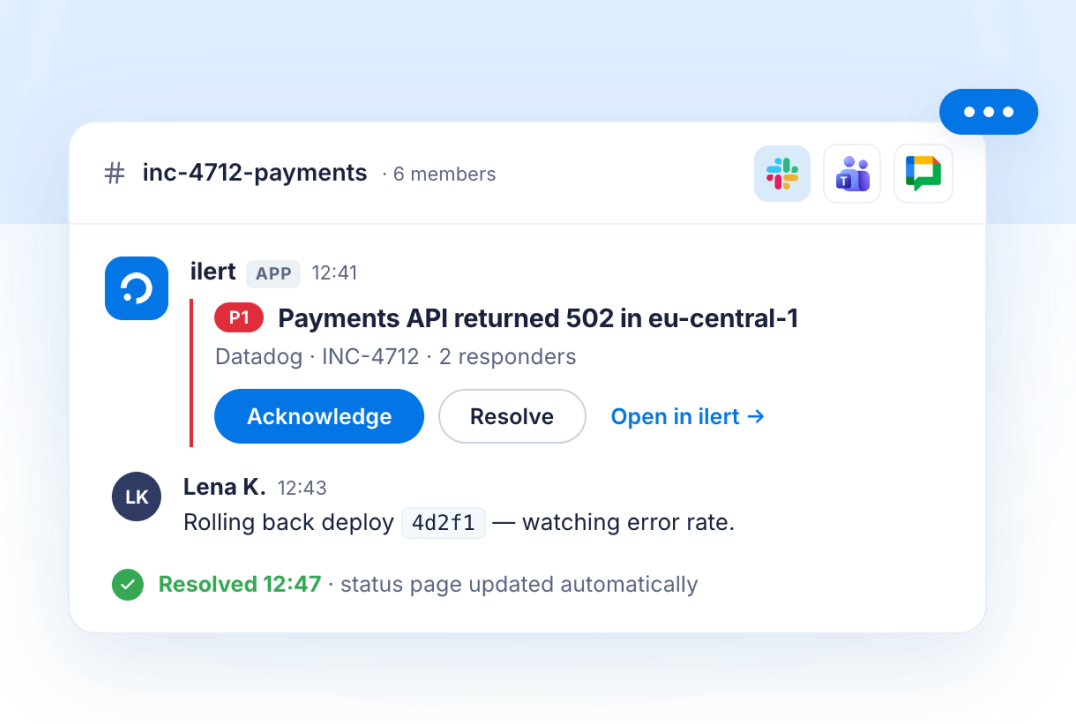
Rich incident cards now render in Microsoft Teams and Google Chat, not just Slack. Your team can acknowledge, escalate and resolve incidents from the chat tool they already live in.
Slack cards also gained a fully rendered resolved state, and chat surfaces now follow the detected language automatically instead of defaulting to English. More on ChatOps in ilert, or set it up with the ChatOps docs.
On-call Management
On-call schedules can now follow support hours, holidays included
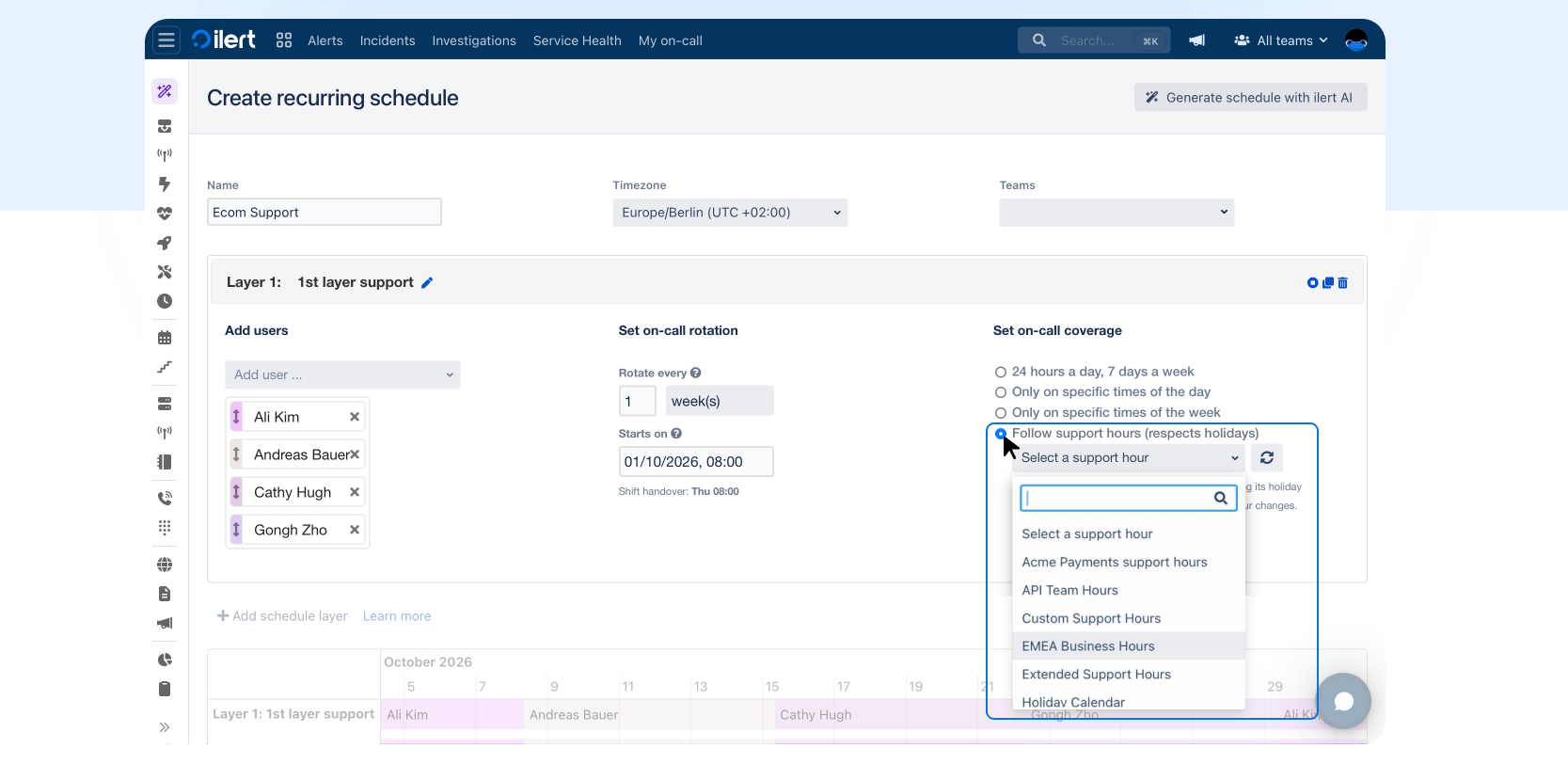
Recurring schedules can now follow a support hour directly. Set a layer's coverage to "Follow support hours (respects holidays)" and it inherits that support hour's weekly windows and holiday exceptions. The rotation then skips coverage on a holiday automatically, or adds it back if the support hour says otherwise, without you editing the rotation itself.
Edit the support hour later, add a holiday or change the weekly window, and every schedule following it updates automatically from then on. Past coverage stays as it was.
You can also see the connection from the other side. A support hour's "Used in" panel now lists every schedule that follows it, alongside the alert sources using it, so you know what depends on a support hour before you change it. More on on-call management in ilert, or see the docs on recurring schedules and support hours.
A multi-language responder experience
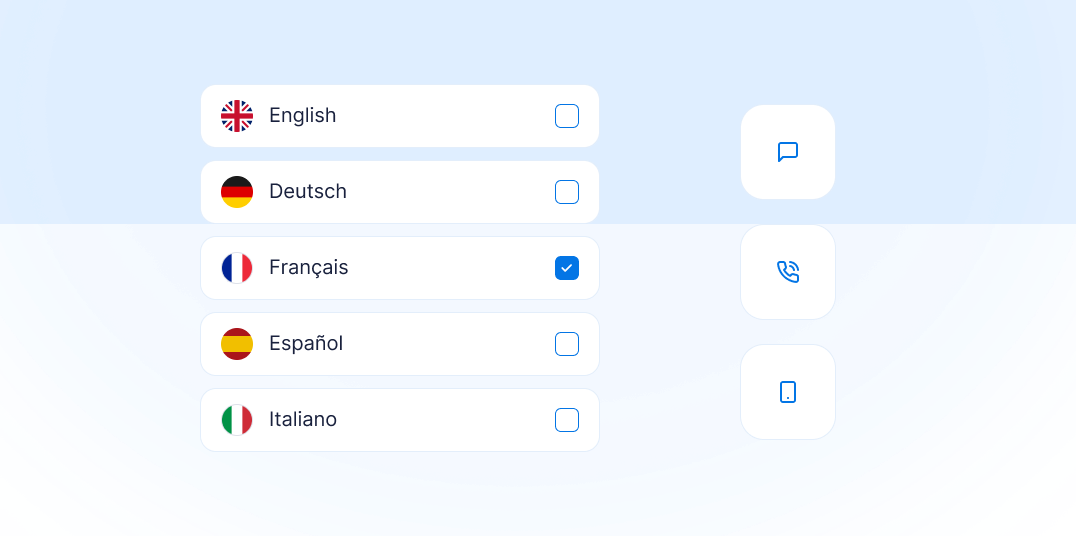
The ilert mobile app and the notifications ilert sends to responders now follow each responder's language setting, with Spanish, French and Italian joining English and German. Pick French, and the voice call that wakes you at 3 a.m. briefs you in French. Translations are generated automatically with every release, so new features reach every language at the same time. The web app stays in English.
User Experience
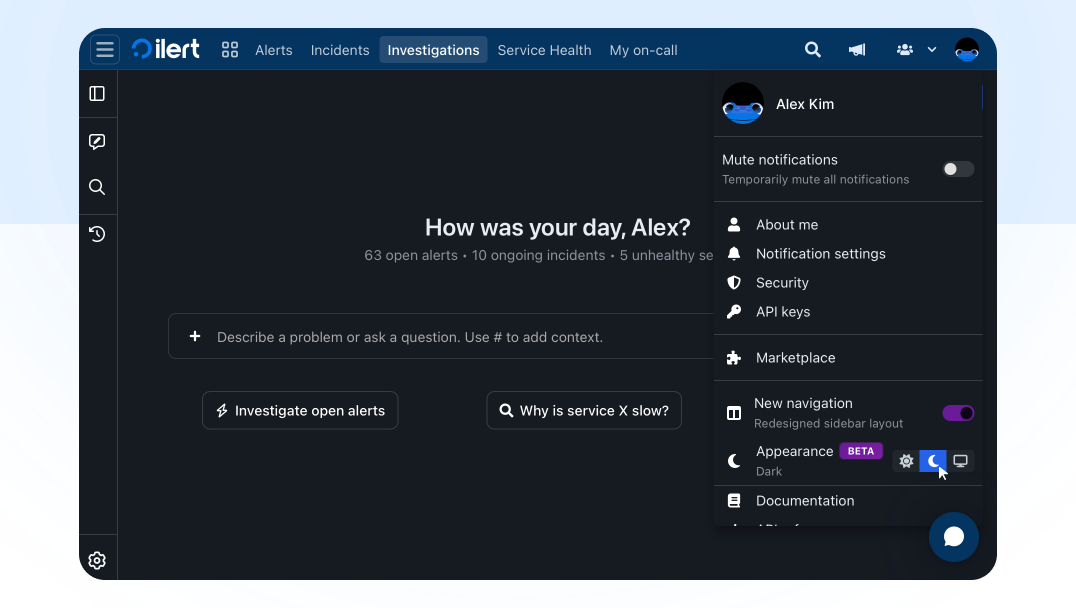
Dark mode in ilert
You can now choose how ilert looks. Open your profile menu, go to Appearance, and pick light, dark or follow system. Dark mode is available to everyone today.
New Integrations
Bleemeo: Bleemeo is a cloud monitoring platform for servers, containers, Kubernetes and cloud infrastructure. Its alerting rules watch your metrics and raise an alert when a threshold is breached. Set it up with the Bleemeo integration docs.
DBmarlin: DBmarlin is a database observability and performance monitoring tool that tracks database instances, hosts and the changes that affect them. Its alert rules fire when statistics such as query time, executions or host CPU cross a threshold. Set it up with the DBmarlin integration docs.
OpenNMS: OpenNMS is an open-source network monitoring and management platform that discovers your infrastructure, collects performance data and turns events into alarms. Set it up with the OpenNMS integration docs.
Sneak peek: Actions (closed beta)
Actions run work in your other tools whenever an alert or incident changes: open a Jira issue when an alert is created, call a webhook when an incident is resolved, or send an email. Each action lives in its own Actions area instead of on an alert source. You decide what it covers: every alert source, your teams, specific alert sources or, for incidents, specific services.
They run automatically on the trigger events you choose, from acceptance and escalation to comments and linked postmortems. A user can also start one manually on a single alert or incident. The first run links the alert or incident to what it created, so later runs update the same Jira issue instead of opening a new one. Turn on bidirectional sync and changes flow back too: move the issue to Done and the alert resolves.
Actions are in closed beta at the moment.