ilert now supports a native OpenNMS integration



OpenNMS alarms now reach ilert through a dedicated plugin that runs inside OpenNMS. Network and infrastructure teams get a direct path from an alarm on a device, interface, or service to the phone of the engineer on call. The ilert alert then follows the alarm: accepted when it is acknowledged, resolved when it clears.
What is OpenNMS?
OpenNMS is an open-source network monitoring and management platform covering fault, performance, and traffic monitoring. It discovers your infrastructure, collects data on the devices, interfaces, and services you provision, and raises an alarm when it detects a problem.
OpenNMS ships in two AGPLv3-licensed distributions: Horizon, the community release, and Meridian, the subscription edition with long-term support.
Why connect OpenNMS to ilert?
The two tools split the work: OpenNMS detects and pinpoints problems across your network, and ilert makes sure the right person acts on them.
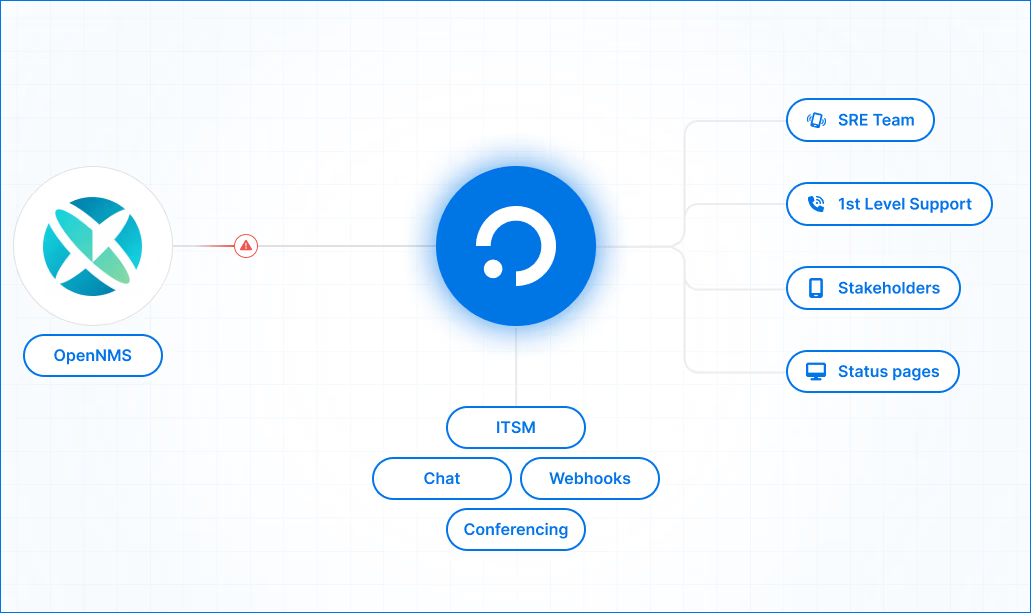
With the plugin installed, OpenNMS forwards matching alarms to an OpenNMS alert source in ilert. From there, ilert applies your escalation policy and on-call schedule and reaches the responder on duty via push, SMS, voice call, or chat, escalating automatically if nobody acknowledges.
Paging is where ilert starts, not where it ends. The same alert can become a declared incident with its own channel and incident commander, a status page update for customers, and a postmortem once it's closed.
The alert also follows the alarm: acknowledging it in OpenNMS accepts the ilert alert, and clearing it resolves the alert. What's open in ilert reflects what's still wrong on your network.
Set up the integration in three steps:
1. In ilert:
- Go to Alerting → Alert sources and click Create new alert source
- Search for OpenNMS, select it, and give the alert source a name and teams
- Pick an existing escalation policy, or generate a basic one without leaving the wizard
- Select Default grouping, finish setup, and copy the events URL. It contains your integration key, so treat it like a password
2. In OpenNMS, install the plugin:
- Download the plugin from the ilert-opennms releases page on GitHub and verify it against the included checksum file
- Copy the
.karfile into thedeploydirectory of your OpenNMS install root:/usr/share/opennmsfor RPM and Debian packages,/opt/opennmsfor Docker and tarballs - Add a boot file under
etc/featuresBoot.d/so the feature loads on every restart - Restart OpenNMS, or install the feature directly from the Karaf console
- Confirm in Karaf that the ilert feature shows as Started
3. Configure the plugin:
- In the Karaf console, create one plugin service per alert source with its events URL and a JEXL filter, such as
alarm.severity.id >= 6for major and critical alarms - Optionally add a hold-down delay, such as five minutes, so self-clearing alarms never page
- Point the alarm detail link at a URL your responders can reach; it defaults to 127.0.0.1
- Changes take effect within seconds, with no restart
To test the full loop, raise a test alarm, acknowledge it, then clear it: the ilert alert moves from open to accepted to resolved. The plugin requires OpenNMS Horizon 35 or later and shell access to the server. Alerts flow inbound, from OpenNMS into ilert.
For the full step-by-step guide, including Docker installs, upgrades, and troubleshooting, visit docs.ilert.com. If you run into any issues, our support team is ready to help at support@ilert.com.