ilert unterstützt jetzt eine native Bleemeo-Integration



Bleemeo-Monitoring lässt sich jetzt nativ mit ilert verbinden und koppelt die Schwellenwert-Erkennung an Bereitschaftsmanagement und Alarmierung. DevOps-, SRE- und IT-Betriebsteams bekommen einen direkten Weg vom überschrittenen Schwellenwert zum Telefon der Person, die das Problem beheben kann – und zurück zu einem sauberen Zustand, sobald es behoben ist.
Was ist Bleemeo?
Bleemeo ist eine Cloud-Monitoring-Plattform für Server, Docker-Container, Kubernetes-Cluster, AWS- und Azure-Ressourcen, VMware-Umgebungen und SNMP-Netzwerkgeräte – alles in einer SaaS-Konsole. Hinzu kommen Uptime-Checks, Application Performance und Logs, sodass Teams ihre IT-Infrastruktur und die darauf laufenden Services an einem Ort im Blick behalten.
Die Datenerfassung läuft über Glouton, den Open-Source-Agenten von Bleemeo. Die Alarmregeln arbeiten schwellenwertbasiert mit getrennten Warning- und Critical-Stufen; wer feiner steuern möchte, formuliert Bedingungen in PromQL.
Warum Bleemeo mit ilert verbinden?
Bleemeo erkennt zuverlässig, dass etwas nicht stimmt. Was danach passiert – wer geweckt wird, über welchen Kanal und was folgt, wenn niemand reagiert – übernimmt ilert.
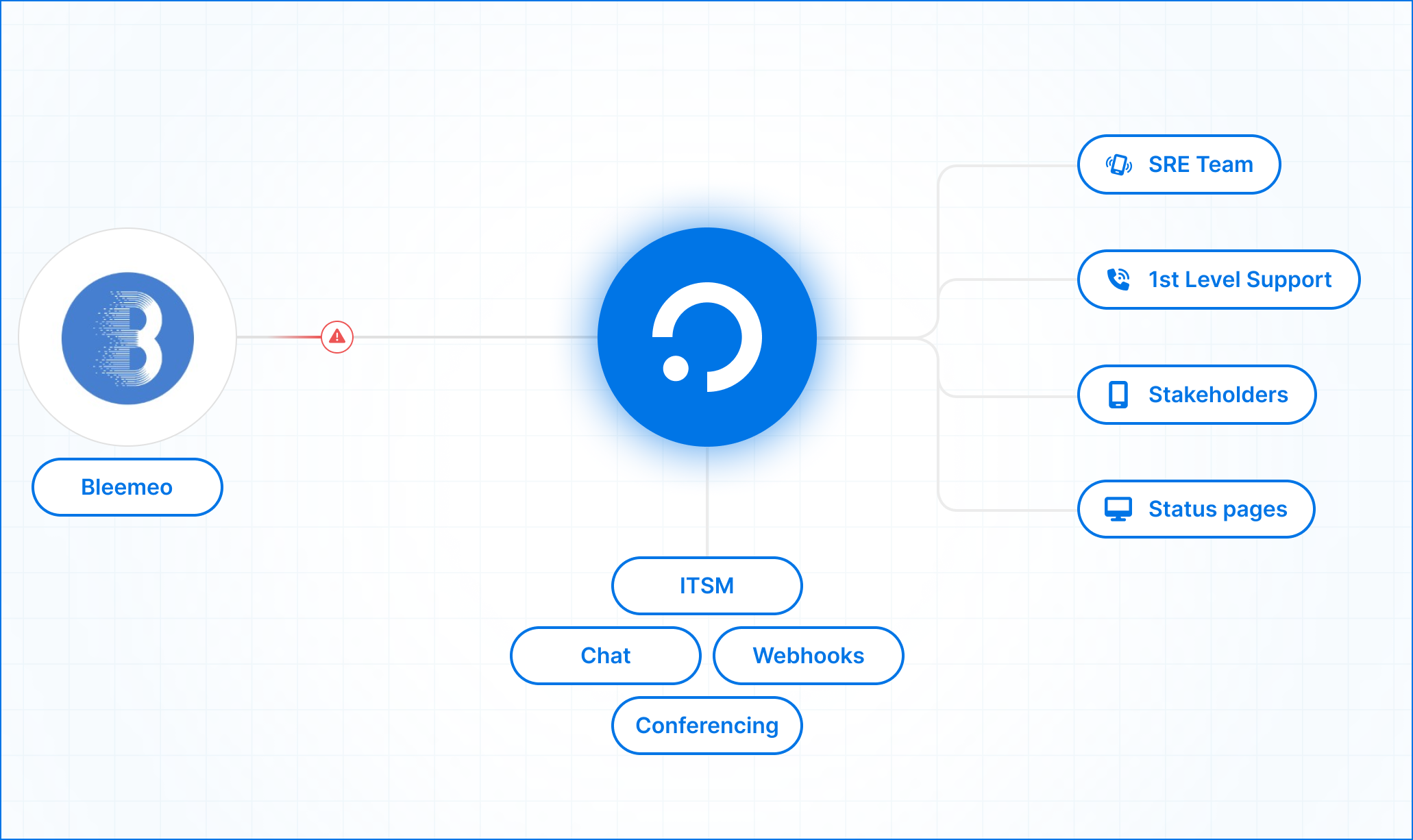
Sobald die Integration aktiv ist, sendet Bleemeo seine Benachrichtigungen an eine dedizierte Alarmquelle in ilert. Von dort wendet ilert Ihre Eskalationsrichtlinie und Ihren Dienstplan an und erreicht die diensthabende Person per Push, SMS, Sprachanruf oder Chat – mit automatischer Eskalation, wenn niemand bestätigt.
Die Alarmierung ist dabei erst der Anfang. Aus demselben Alarm kann ein deklarierter Incident mit eigenem Kanal und Incident Commander werden, ein Update Ihrer Statusseite für Kunden und ein Postmortem, sobald er geschlossen ist.
Zwei Details zählen im Alltag. Erstens löst sich der Alarm automatisch auf: Sobald das Problem in Bleemeo behoben ist, schließt ilert den zugehörigen Alarm. Was offen ist, spiegelt damit den realen Zustand Ihrer Systeme wider und nicht einen Rückstand, den jemand aufräumen muss. Zweitens erfolgt die Gruppierung pro überwachter Metrik, bei Agent-Events pro Agent. Wiederholte Benachrichtigungen zum selben Problem aktualisieren den bestehenden Eintrag, statt neue anzulegen – ein strauchelnder Host weckt Sie also einmal, nicht fünfzigmal.
Zwei europäische Plattformen, eine Alarmierungskette
Bleemeo ist ein französisches Unternehmen, 2015 in Toulouse gegründet, und speichert Metriken und Logs in der EU. ilert ist ein deutsches Unternehmen aus Köln, gehostet in EU-Rechenzentren und ISO 27001-zertifiziert. Für Teams unter DSGVO-, NIS2- oder DORA-Anforderungen heißt das: eine Kette vom Monitoring bis zur Alarmierung, in der beide Vertragspartner europäischem Recht unterliegen – ein Subprozessor-Gespräch weniger im Security-Review.
Integration in drei Schritten einrichten
Verbinden Sie beide Systeme in drei Schritten:
- In ilert:
- Öffnen Sie Alarmquellen und legen Sie eine neue an
- Suchen Sie nach Bleemeo und wählen Sie es aus
- Vergeben Sie einen Namen, weisen Sie Teams zu, wählen Sie eine Eskalationsrichtlinie und legen Sie Ihre Gruppierung fest
- Schließen Sie die Einrichtung ab und kopieren Sie den Integrationsschlüssel
- In Bleemeo:
- Öffnen Sie Administration → Integrations und klicken Sie auf Add Integration
- Wählen Sie ilert, fügen Sie den Schlüssel ein und vergeben Sie einen sprechenden Namen wie „Production On-Call“
- Alarme routen:
- Gehen Sie zu Notifications und legen Sie eine neue Regel an oder bearbeiten Sie eine bestehende
- Wählen Sie im Schritt Targets Ihre ilert-Integration aus
Da ilert eine eigens gebaute Alarmquelle für Bleemeo mitbringt, ist kein Field-Mapping nötig. Die Alarme fließen eingehend von Bleemeo nach ilert, und die Einrichtung dauert insgesamt wenige Minuten.
Die vollständige Schritt-für-Schritt-Anleitung finden Sie auf docs.ilert.com. Bei Problemen hilft Ihnen unser Support-Team unter support@ilert.com.
Im Integrationskatalog finden Sie die übrigen Tools Ihres Stacks.