New features: New Status Page design, Terraform export feature and more



From a redesigned status page to smarter event flows and broader ChatOps support, here's everything that's shipped across this quarter.
Status Page
Redesigned status pages: cleaner, clearer, faster
Our status pages now have an updated look and a lot more clarity.
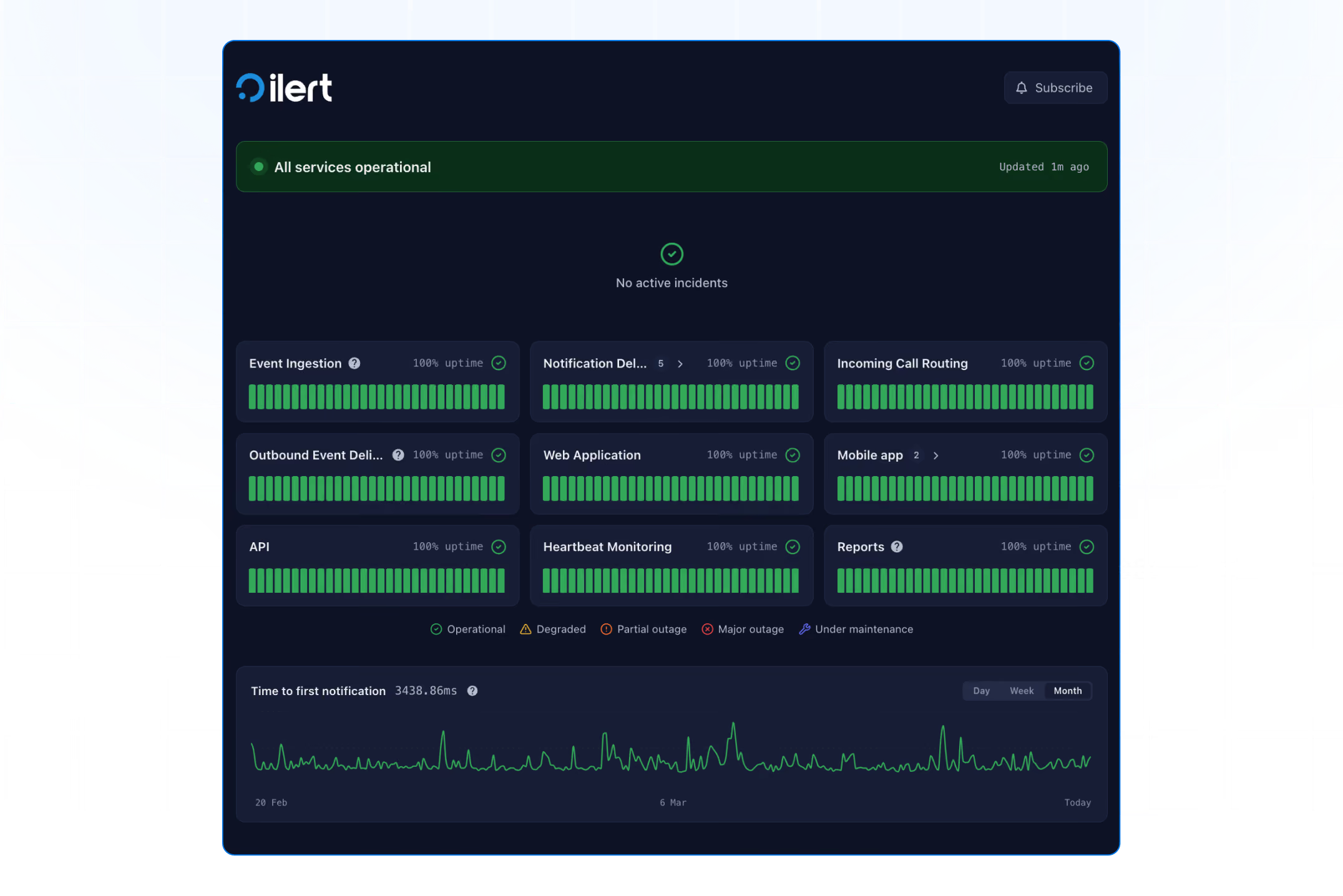
We've redesigned ilert's public-facing status pages from the ground up: cleaner visual language, better information hierarchy, and faster access to what matters during an incident. Here's what's new:
- Smarter incident cards: expandable timelines show the full update history with affected services at a glance, so your users always know exactly what's impacted and what's being done.
- Clearer past incident history: incidents are now grouped by date, expandable with full timelines, and each entry links to a dedicated detail view.
- Instant status at a glance: a full-width status banner with a live indicator tells visitors the current system state the moment they land on the page.
The redesign is fully responsive and built for the detail-oriented audience that checks your status page during an outage: no clutter, no ambiguity.
ChatOps
Google Chat is now supported

ilert's ChatOps has always helped teams stay in sync by letting them manage incidents without leaving their chat tool. Now, we're expanding that reach: Google Chat is officially supported alongside Slack and Microsoft Teams.
Your team can now:
- Receive alerts in channels with the new Google Chat alert action
- Take action on alerts: Accept, Escalate, Resolve, Reroute, Merge Into
- Enjoy seamless user mapping so actions are executed on behalf of the right team member
- Look up who's on call instantly, no dashboard, no tab-switching, no delay
- Create a war room in seconds, so response is structured from the first minute
Whether your team works in Slack, Teams, or Google Workspace, ChatOps ensures incident management happens where your team already collaborates.
Event Flows
Transform Event node
You can now modify and enrich event properties, like priority, labels, and summaries: directly in your Event Flows using the new Transform Event node. Fully manageable via Terraform for version-controlled incident orchestration.
Transform node execution logs
You can now see exactly what happened inside a transform node during event flow execution, making it faster to debug rules and understand how events are being modified in transit.
Two new log entries are available:
- Transform Error: captured when a rule fails at runtime, with a machine-readable error code, a short description, and the specific rule that caused the issue.
- Transformed: emitted once after all rules are processed, only when at least one net delta exists.
Both entries are accessible directly in the execution log, giving you a clear audit trail from raw event in to transformed event out.
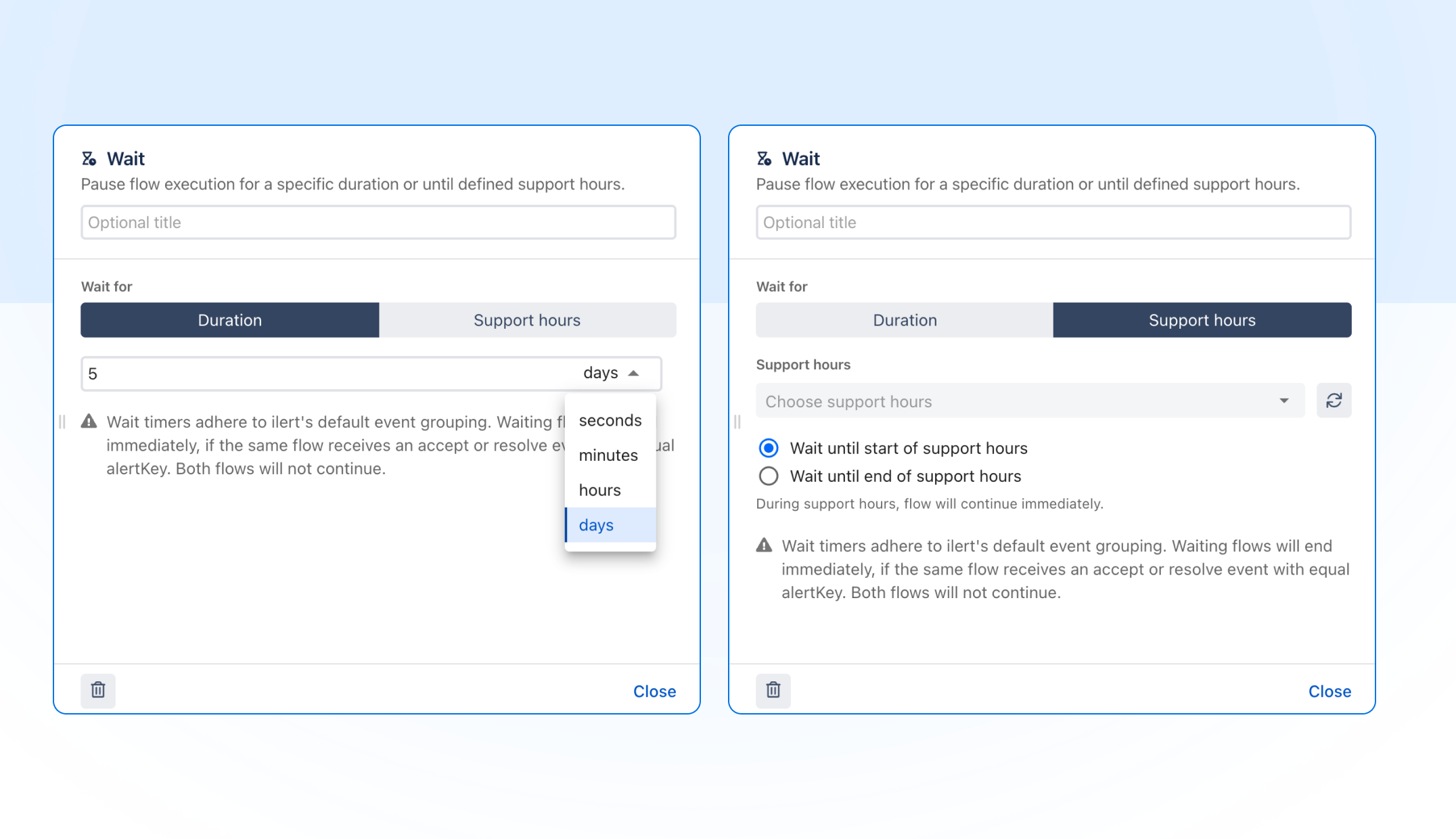
Wait nodes now support support hours and multi-day durations
Event flows can now pause and resume based on your configured support hours, so routing logic respects when your team is actually available, not just whether a condition is met. Wait durations can also now be set in days, extending the previous limit of hours.
Terraform
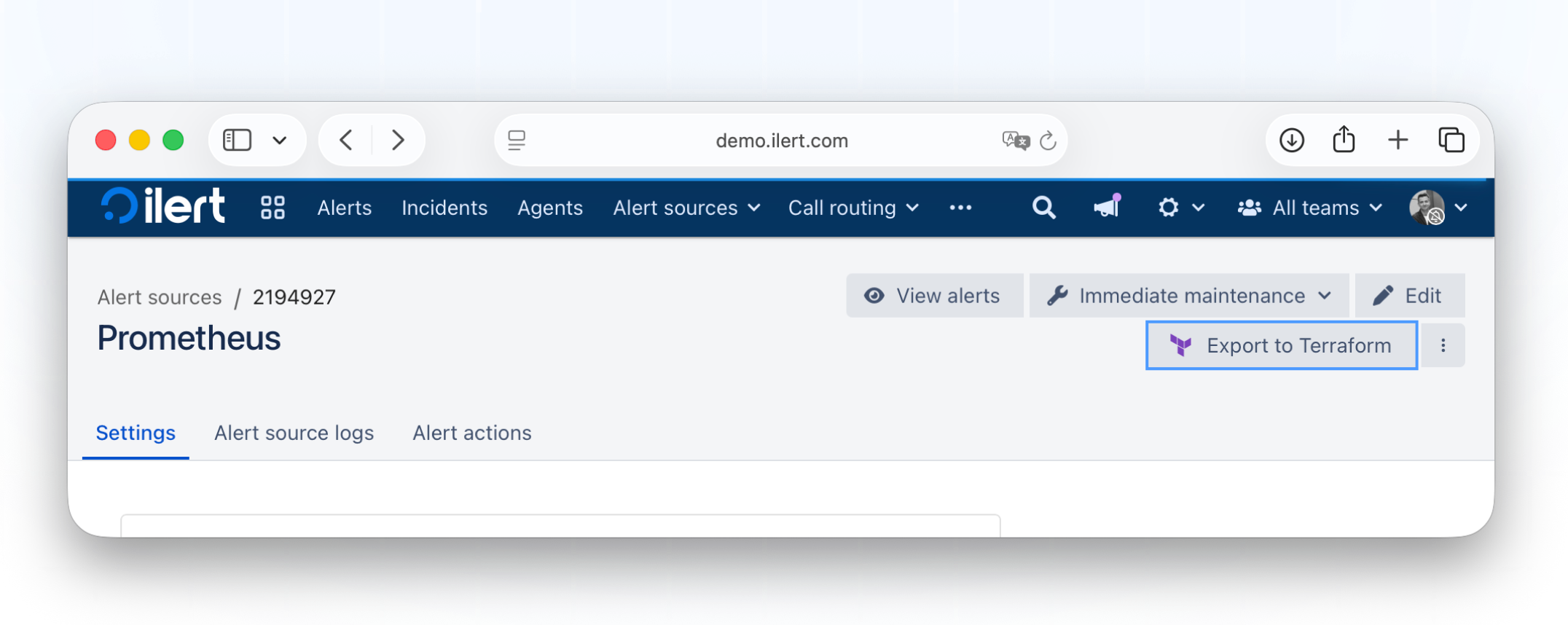
Export resources to Terraform: from UI to code in one click
We're making Infrastructure-as-Code adoption easier. With the new Export to Terraform feature, you can generate valid HCL resource blocks directly from any resource detail page with a single click. Bridge the gap between UI and code instantly, and accelerate your IaC workflows without having to write configuration by hand.
Alerting & Incident Management
Teams in escalation policies
You can now add teams to escalation policies, in addition to individual users and schedules. This enables less configuration overhead and clearer accountability at scale.
Services and severity: end-to-end
Define default service and severity values in your Alert Source, push real-time overrides via the Event API, and view live impact levels directly in the Alert Detail view. Smart defaults with full override flexibility, visible where it matters most.
Add multiple responders at once
You can now select and add multiple responders or targets at once directly from the Alert detail view, no more adding them one by one.
Alert reports now support label filters
You can now filter alert reports by label, making it easier to scope reports to a specific service, team, or environment.
Access & Roles
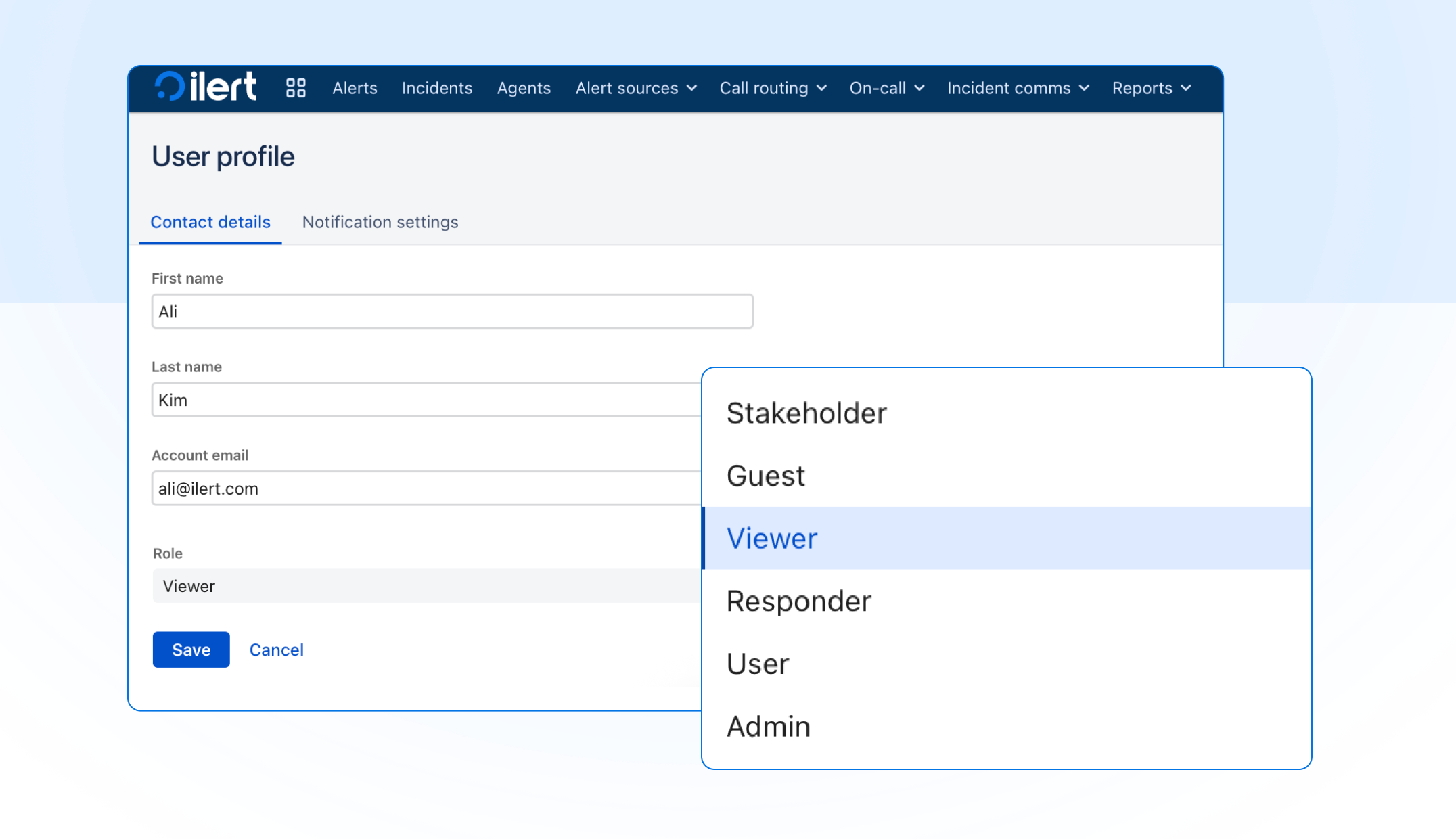
Introducing the Viewer role
Meet the new Viewer role, designed for internal users who need full operational visibility, without the risk of making changes. Viewers get account-wide, read-only access to all incidents, alerts, services, configurations (including on-call schedules, escalation policies, and alert sources), and reports.
It's ideal for engineering managers, executives, and customer support leads who need transparency and insight, while keeping operational control firmly in the right hands.
Billing
Admins can now purchase seats directly
When adding a new user would require an extra seat, ilert flags it upfront and asks for confirmation before proceeding. A dedicated setting in the account settings page (accessible by account owners) allows you to control whether admins can purchase additional seats. Additional seats are always prorated. Billing timing depends on your plan:
- Invoice customers: charged on your next invoice
- Self-service monthly plans: charged on your next invoice
- Self-service annual plans: charged immediately
Invoice payment for self-service annual plans
Starting with German customers, we're gradually expanding invoice support to additional countries, including the EU and US. Customers on an annual subscription of €2,000 or more can pay by invoice: fully automated, no manual steps required.
Note: invoice revisions are not supported.
Call Routing
Voicemail transcriptions now support multiple languages
Call flow voicemail transcriptions are no longer limited to a single language. ilert now detects and transcribes voicemails in the language they were left in.
Mobile
Redesigned alert detail view
We've streamlined the mobile alert detail view to give you more space for what's important and make incident handling faster on the go. The alert summary, chips bar, and tabs are now organized for a cleaner layout, with the chips bar showing up to two lines by default and a label icon for better clarity. The actions bar stays fixed at the bottom, keeping key actions always within reach. Less scrolling, clearer context, quicker decisions.
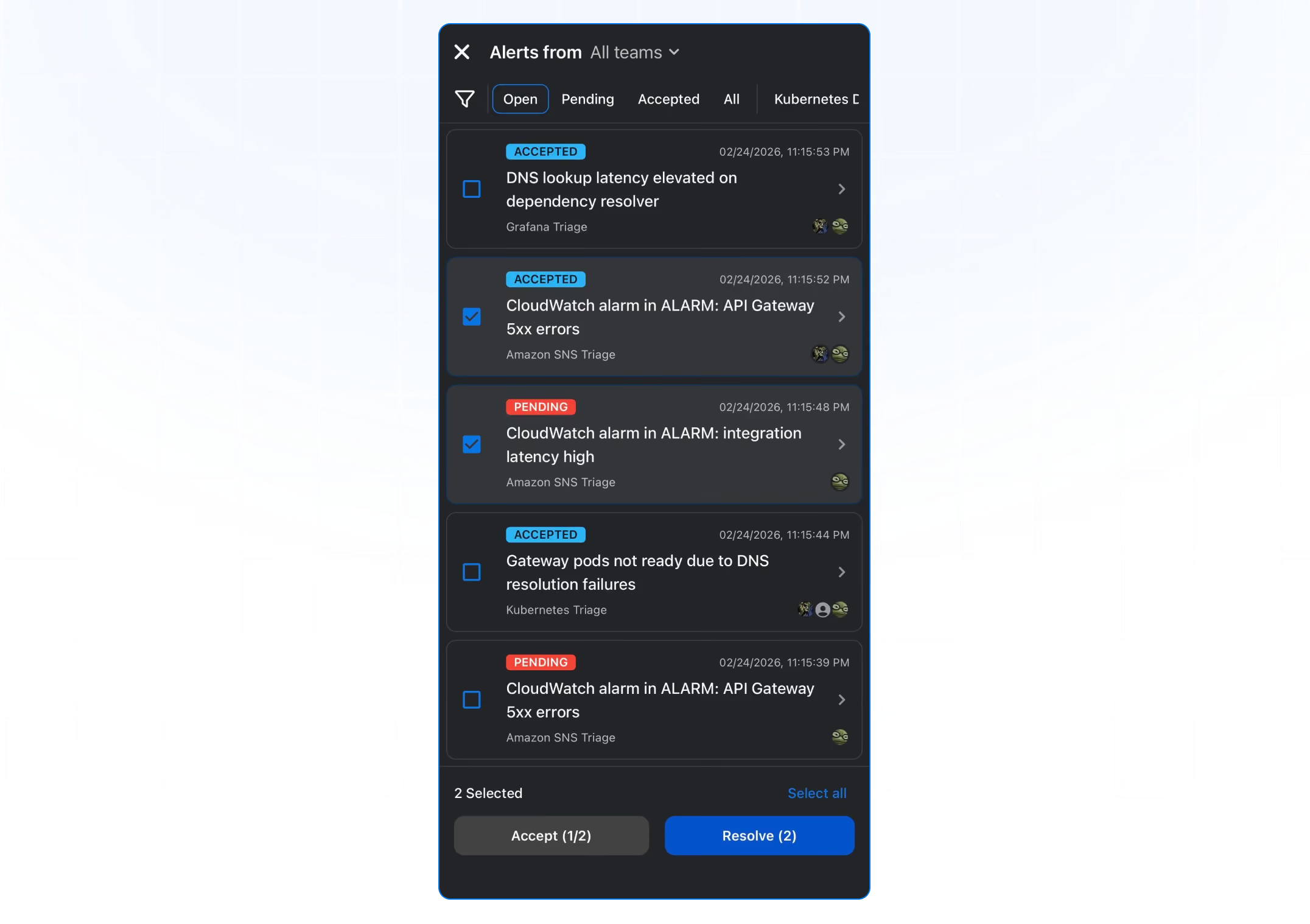
Bulk acknowledge and resolve
You can now select multiple alerts and acknowledge or resolve them in one tap, directly from the alert list view on mobile.
Integrations
Custom HTTP headers for webhook alert actions
You can now define custom headers on outbound webhook integrations, useful for passing authentication tokens, API keys, or any metadata your receiving endpoint expects.
New integrations
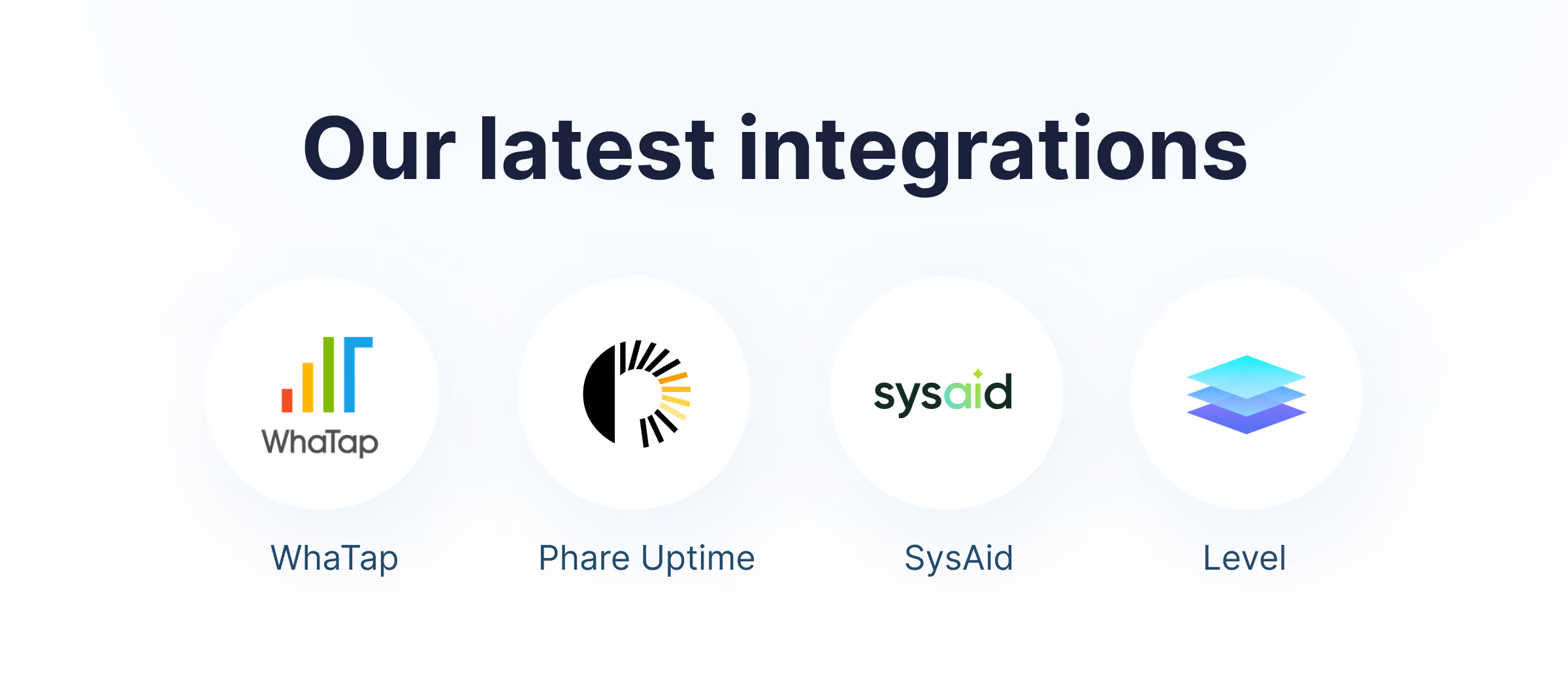
WhaTap: an AI-native observability platform. As a SaaS-based unified IT monitoring service provider, it offers comprehensive monitoring across a wide range of IT environments.
Phare Uptime: is a reliable, privacy-focused monitoring service that keeps a close eye on your websites, APIs, and SSL certificates.
SysAid: an AI-native ITSM platform built to automate the heavy lifting of modern IT. Uses built-in AI to prioritize tasks, summarize ticket histories, and provide instant resolutions to end users and IT admins.
Level: a modern remote monitoring and management (RMM) platform built for IT teams and MSPs who prefer to work smarter and stay ahead of issues.