ilert now integrates natively with DBmarlin




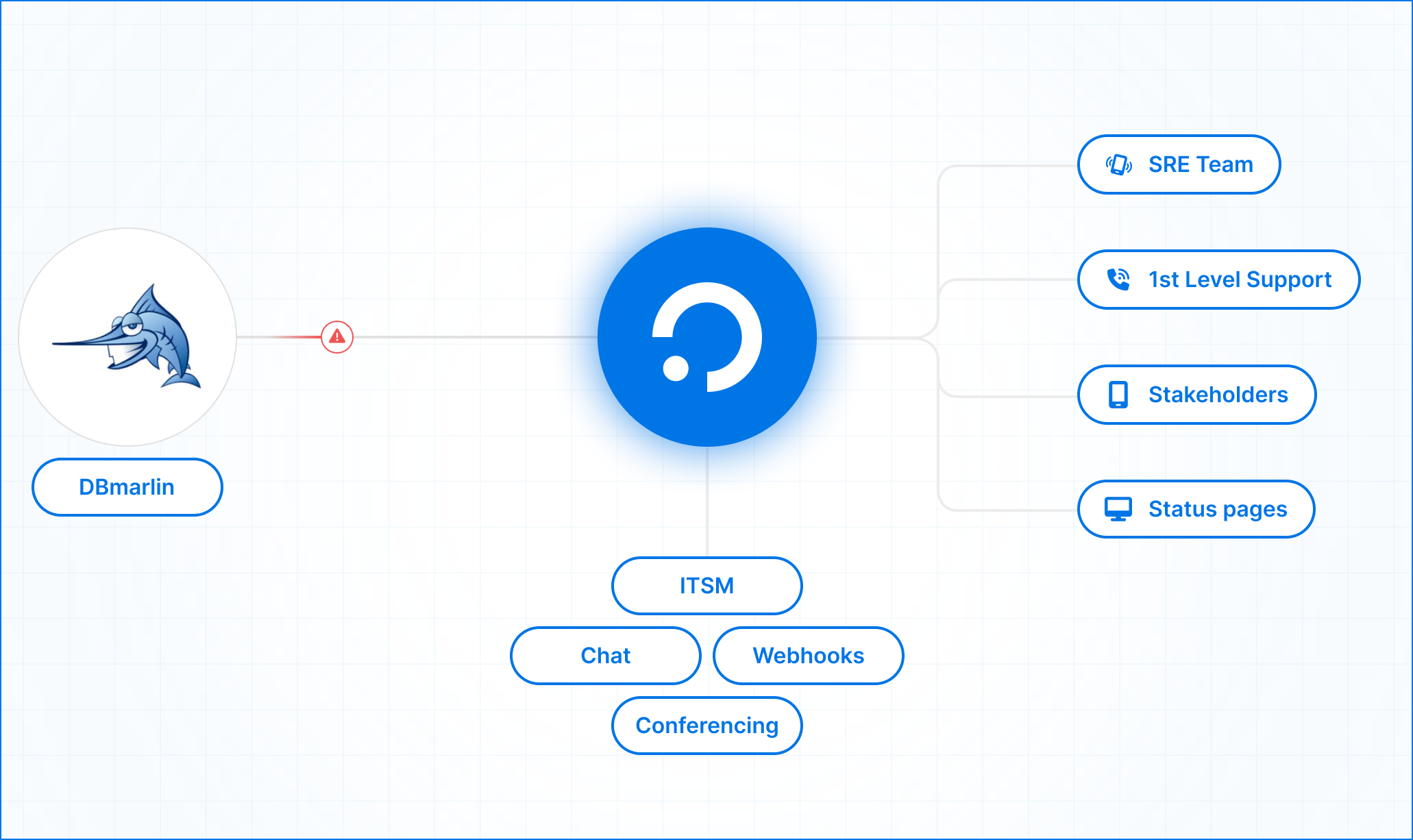
Database alerts from DBmarlin can now go straight to ilert. When an alert rule fires on slow queries or an overloaded database host, ilert pages whoever is on call, escalates if they don't respond, and hands them a link back into DBmarlin, where the diagnosis lives.
What is DBmarlin?
DBmarlin is a database observability and performance monitoring tool built by Application Performance Ltd (AP), a UK company based in Fleet, Hampshire. It monitors twelve database engines from one console across self-hosted databases and managed services such as Amazon RDS, Azure, and Google Cloud SQL. It runs self-hosted or as SaaS, with a free tier for one database instance.
Where general observability platforms show that a database call is slow, DBmarlin shows what is happening inside the database. It captures SQL statement text and wait states, and auto-detects changes to schema objects, database parameters, and explain plans, so teams can tie a slowdown to the change that caused it. The team has deep roots in the space: its founders met at Precise Software, and AP's earlier database monitoring product, DBTuna, was acquired by AppDynamics.
Alerting runs through alert rules, which watch statistics such as query time, executions, or host CPU on database instances and hosts, and fire when a threshold is breached.
Why route DBmarlin alerts through ilert?
DBmarlin shows you where the time went inside the database and what changed before it slowed down. It doesn't decide who needs to hear about it at 3 a.m., or what happens when that person sleeps through the first notification. That part is ilert's job.
Each time an alert rule fires, DBmarlin sends a webhook to its own alert source in ilert. ilert checks your on-call schedule and escalation policy, notifies the responder by push, SMS, voice call, or chat, and moves to the next person in line if nobody acknowledges in time.
When the problem outgrows one responder, the alert can grow with it: promote it to an incident with a dedicated channel and incident commander, keep customers informed through a status page, and write up what happened in a postmortem afterwards.
A few details make these alerts easier to act on:
Responders see the numbers. Each alert carries the rule name, the statistic, its previous and current value, the threshold and units, the time window, and the affected host or database instance, so whoever reads it on a phone can tell how far past the threshold things are. Fields you add to the template appear as custom details on the ilert alert.
The diagnosis is one click away. Every alert includes a deep link into DBmarlin. Point the DBmarlin URL at an address your responders can reach from their own machines; localhost only resolves on the DBmarlin host itself.
Alerts close when the condition ends. Host alert rules send an ended event, and ilert resolves the matching alert when it arrives, so nobody starts the morning clearing stale alerts. For database instance alert rules, add one eventType line to their template to get the same behavior.
Your database telemetry stays where you run it
DBmarlin can run self-hosted, which keeps SQL text, wait states, and performance history inside your own environment. The integration doesn't change that. What reaches ilert is exactly what the webhook template defines: rule name, statistic, values, host or instance name, and the deep link. Edit the template and you send less.
The alert itself lands with ilert, which is made and hosted in Germany, ISO 27001 certified, and GDPR compliant. When a security review under GDPR, NIS2, or DORA asks what database data leaves your environment for paging, the answer is a short payload you define, sent to an EU-hosted provider.
Connect DBmarlin to ilert in three steps
1. Create the alert source in ilert
- Under Alerting → Alert sources, click Create new alert source and pick the DBmarlin tile
- Name it, add teams if needed, and select an existing escalation policy or generate a basic one
- Leave grouping on Default, finish setup, and copy the webhook URL ilert generates
2. Add the webhook in DBmarlin
- In Settings → Integrations, find Webhook under Alert notification, click Edit, then Create
- Enter a name such as "ilert webhook", the ilert webhook URL, your DBmarlin installation's reachable URL, and a Content-Type: application/json header
- Paste both templates from the ilert docs, one for instance rules and one for host rules, then save and check that the webhook and the Webhook integration are enabled
3. Attach it to your alert rules
- Set the webhook as Default to cover every alert rule, or add it to specific rules under Settings → Alert Rules
The DBmarlin alert source comes built into ilert and both templates are copy-paste, so setup is a few minutes of clicking rather than an integration project. Data flows one way, from DBmarlin to ilert.
Every field and both templates are in the DBmarlin integration guide on docs.ilert.com. Questions or problems: support@ilert.com.

.avif)