New features: AI SRE, Merge alerts, and Status pages for thousands of services



As we head into the holiday season, the ilert team is doing the opposite of slowing down; we’re ramping up. Over the past weeks, we’ve shipped a wave of impactful improvements across alerting, AI-powered automation, mobile app, and status pages. From major upgrades that reshape how teams triage incidents to smaller refinements that remove daily friction, this release is packed with updates designed to make on-call and operations smoother, smarter, and faster. Let’s dive in.
AI SRE: Your knowledgeable incident buddy
You probably remember us talking about ilert Responder – ilert's first intelligent agent that provides actionable insights during incidents. In the last few months, we introduced way more features, powerful agents, and capabilities, which are now all gathered under ilert AI SRE. So, what exactly has changed?
As the previous version did, ilert AI SRE can analyze logs, correlate metrics, check recent code changes, and propose recommended actions to you and your team to resolve the incident. Moreover, ilert agents can now also act autonomously, if you give permission.
While it might sound wild to give access to a production environment to AI, you will be surprised by how many issues require manual and quick fixes, rather than intellectual work. To reduce the burden of hand-operated tasks performed in the middle of the night and gain more valuable time for long-term sustainable fixes, you can start giving AI SRE gradual access and enable automatic actions such as rollbacks to the previous healthy version or restarting a service. To make it easier for you to identify different levels of agentic autonomy, we introduced three stages in our Agentic Incident Management Guide.
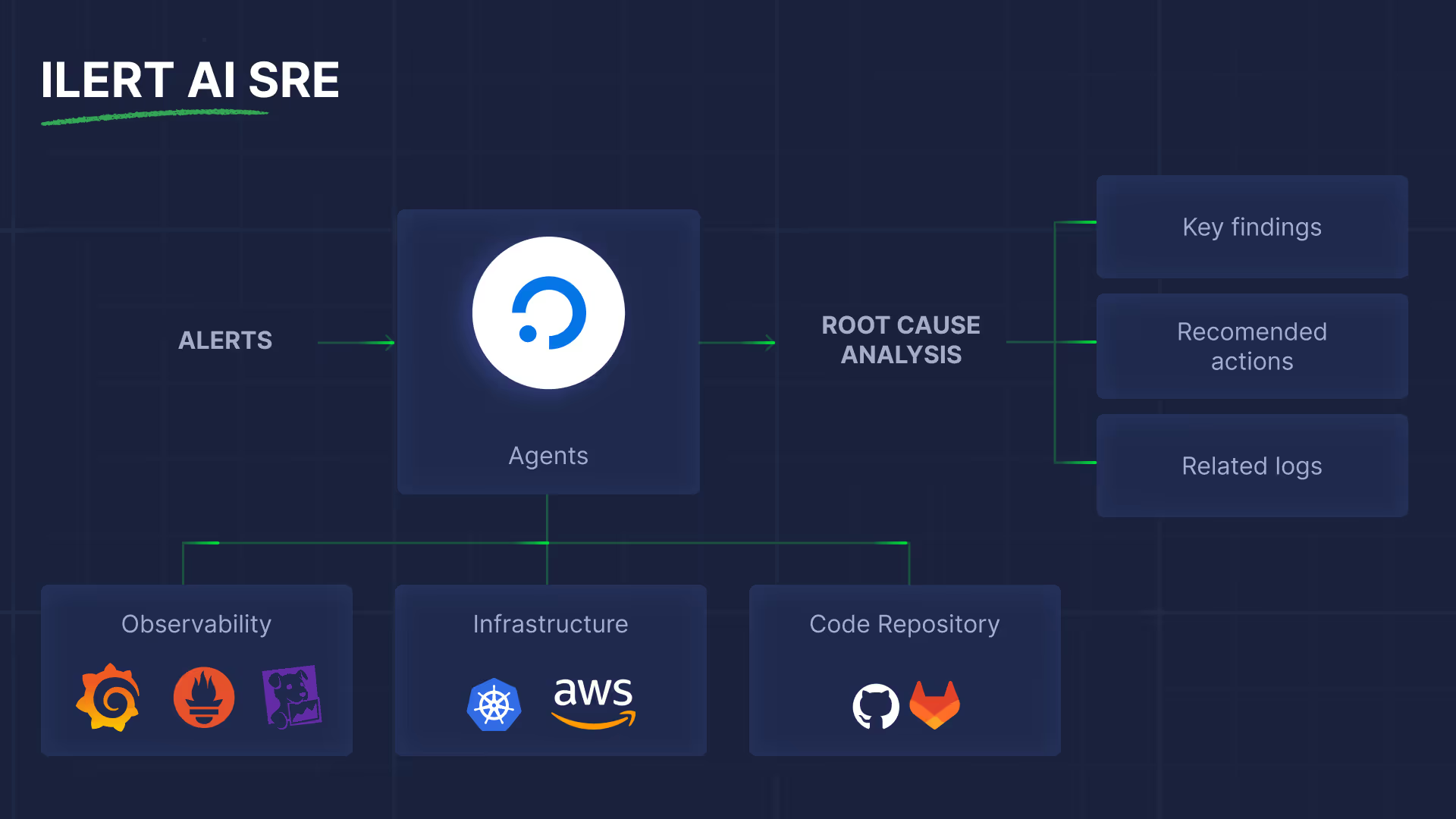
Under the hood, ilert AI SRE becomes useful because it integrates deeply with your existing monitoring, observability, and deployment tools. That means you don’t need to change your stack; you connect your existing tools and let the agent work across them. Everything starts with deployment events, as they allow the agent to correlate alerts with recent code changes and rollouts, which are often key signals for identifying root causes. You can check the article on how to introduce your CI & CD pipelines to ilert, if you haven't done this before.
The next step is to familiarize the agent with your observability data. For this, you will need to connect it to tools such as Grafana, Prometheus, Elastic, etc. It's pretty simple and straightforward. And as a final step of setup, you need to set the Root Cause Analysis Policy for the agent. We recommend beginning with a manual trigger to see the agent's performance.
When the SRE agent is in place, and the first incident occurs, you can communicate with it via chat on the right side of the alert view. Just as if you were talking to your colleague. Check the live demo of ilert AI SRE at Oredev Conference in Malmö to see agentic incident response in action.
If you want to be among the first to try ilert AI SRE incident response, just drop us a message at support@ilert.com.
Connect Claude, Cursor, and other MCP clients to ilert
With the release of the ilert MCP Server, integrating your alerting and incident management workflows into AI assistants has become seamless. The MCP server implements the Model Context Protocol, an open standard that lets tools like Claude, Cursor (or any MCP-compatible client) interact with ilert over a unified interface. Through this setup, your assistant can securely list alerts, inspect on-call schedules, acknowledge or resolve alerts, create incidents – all with proper permissions and audit trails.
Connecting is straightforward: you generate an API key in ilert, then configure your MCP client using either a remote HTTP transport. Find more detailed instructions in the ilert documentation. Once configured, ilert appears in the client’s tool list and becomes available directly inside the assistant’s interface. This reduces context-switching, shortens time to resolution, and embeds incident response directly into your team's AI-powered workflow.
Read a deep dive into the feature in our blog.

Merge related alerts with one action
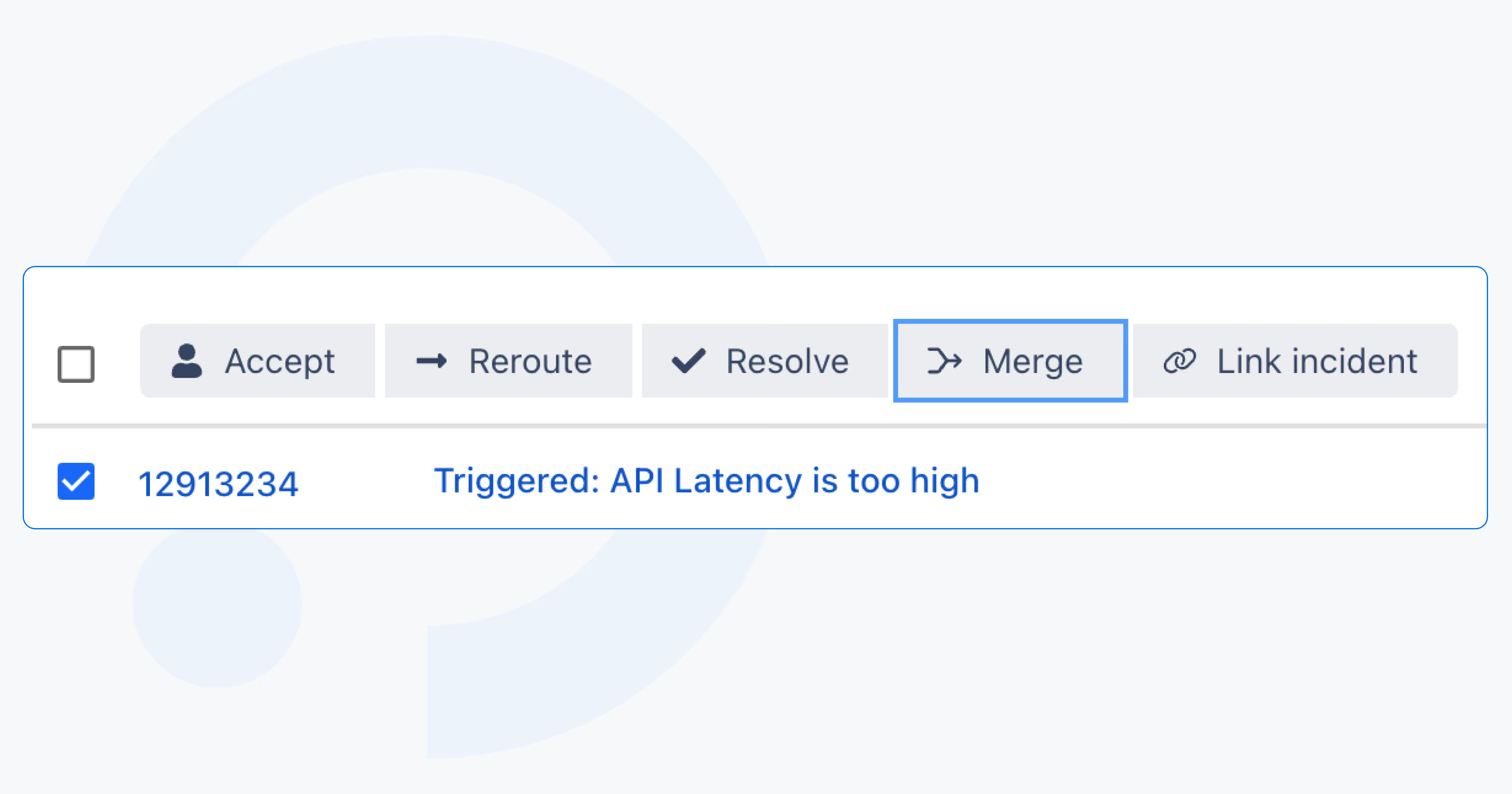
With the alert merge feature, you can combine existing alerts into a single main alert with one click. Merging stops duplicate escalations and notifications instantly, keeps responders aligned on one thread of communication, and preserves full traceability by keeping merged alerts available in the audit log. The result is a cleaner incident workspace, more accurate reporting, and a better foundation for AI SRE features – including automated merge recommendations during root-cause analysis.
Alert merge works hand-in-hand with event grouping: events merge into alerts, and alerts can now merge into one primary alert. Clear, intentional, and built to reflect how teams actually troubleshoot in the real world.
Filter alerts by labels for faster, targeted triage
The alert list now supports powerful label-based filtering, making it easier to zero in on exactly the alerts you care about. You can build filters using label keys and values with autocomplete, combine multiple conditions, and instantly see active filters represented in a compact ICL-style syntax. Editing filters is just a click away, and the same experience is available on mobile, so teams can slice their alert stream by environment, region, service, or any custom label from anywhere.
This brings far more precision to alert triage, especially for larger environments where labels are the primary way teams organize data across systems.
More alert filtering options
You can now also filter alerts by priority in both the ilert interface and mobile app. Whether you’re triaging from your desk or on the go, it’s easy to focus on the most critical alerts first and cut through noise from lower-priority issues.
Transparent alert grouping
To remove confusion caused by mismatched event counts, we’ve unified how grouped events are displayed across the platform. Previously, event grouping via alertKey and alert-source-based grouping were treated separately, leading to different totals in the alert list and alert detail views. The updated design consolidates these into a single, consistent event count, with clear grouping states and a detailed breakdown available in the Event grouping dialog. This ensures users always see one accurate number, regardless of the grouping method, and can easily understand how and when events were combined.
New Wait node for Event flows

Event Flows gain a powerful new control step: the Wait node. This addition lets teams pause a flow either for a specific duration or until the start or end of defined support hours. It brings precise timing control to automation, enabling smarter workflows, for example, delaying non-urgent actions outside business hours or spacing out retries with fixed wait times. The node respects support-hour configurations, including holiday exceptions, giving teams predictable, context-aware behavior.
This enhancement builds on the foundation introduced in our recent deep dive into Event Flows. The Wait node expands what’s possible with flow automation, helping teams design more reliable, human-friendly processes.
Responsive grid layout for large-scale status pages
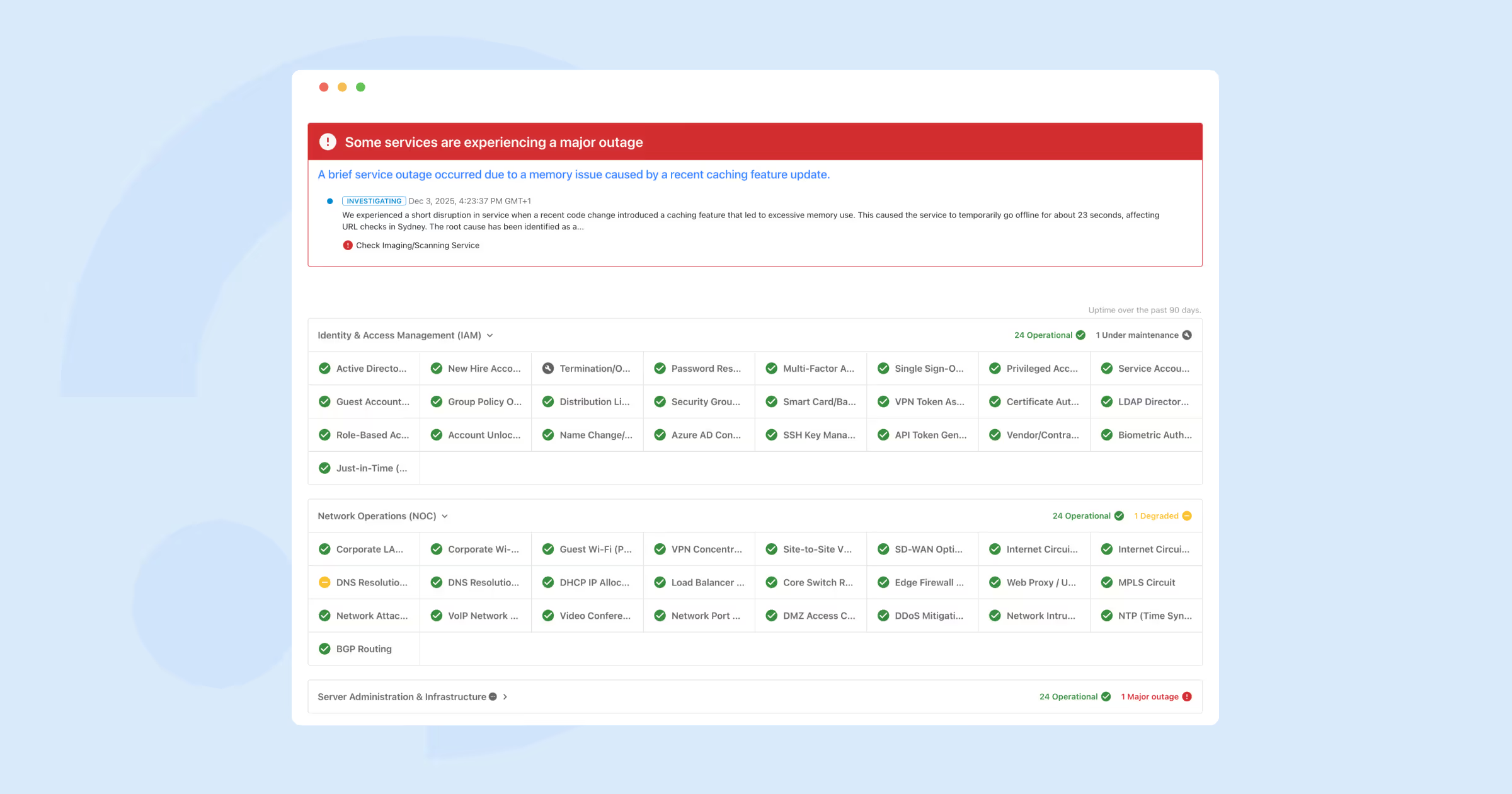
Status pages now support a third layout option – the responsive grid – built for organizations managing hundreds or even thousands of services.
The new layout introduces a high-density grid optimized for large service catalogs. On wide screens, services are arranged in up to 12 columns within a 1536px content width, creating a clean, scannable overview. As the screen size decreases, the grid adapts seamlessly: tablets display fewer columns, and mobile switches to an icon-only mode for maximum clarity. Crucially, this layout supports all key elements such as active incidents, past incidents, metrics, and service grouping, ensuring teams can communicate status effectively at any scale.
For enterprises with sprawling architectures, the responsive grid makes status pages both performant and user-friendly, turning massive service inventories into a readable, navigable experience.
Mobile app news
Handling coverage requests on mobile just got smoother. Until now, many users didn’t realize that the top section in the coverage request flow acted only as a search filter. This meant they still had to manually adjust each identified shift in the list below before sending the request – a common point of confusion reported by several customers.
With the latest update, ilert mobile now applies the selected search boundaries to all matching shifts by default. You can still fine-tune individual shifts if needed, but the default behavior now reflects the intent expressed in the filter. The result: fewer taps, less ambiguity, and a more intuitive coverage request experience.
The heartbeat list in the mobile app no longer appears empty: we’ve migrated both the list and detail view from relying on alert sources with integration-type filters to using the dedicated Heartbeat Monitors API. This ensures your monitors are displayed correctly and in real time, aligned with how heartbeats are managed across the platform.
Download the ilert app for iPhone and Android.
And a few minor but still eye- and heart-pleasing updates.
We revamped the outbound integrations (also familiar to you as alert actions) catalog. You can now see all features relevant to each connection, and it's easier to navigate through the list.
Additionally, alert action logs now show which alert and alert source each action relates to, and you can filter by these references to drill into exactly what happened, faster.
Status page email notifications now support Markdown, making it easier to format updates clearly and consistently. Bold text, lists, links, and other lightweight formatting options render correctly in outgoing emails, so teams can share structured, readable incident updates without switching tools or rewriting content.
Custom processing rules templates now behave in a way that better matches how teams actually use them: conditions only evaluate as true when a real template is present (for alertKey or any of the create/accept/resolve actions). Combined with new out-of-the-box templates for the most-used integrations, this means less guesswork, fewer “empty” conditions, and faster rollout of consistent, high-quality alert payloads.
And finally, our ilert mascot – the blue froggy – has a fresh look across the entire interface. Enjoy its brighter, more colorful style every time you open ilert.