How ilert’s holidays and support hours keep teams sane



The end of the year brings pressure. (Oh, we know!) Customer demand spikes, response expectations stay high, and engineering teams are juggling production issues, releases, and time off. For many teams, this is when on-call becomes chaotic: schedules break, notifications hit at the wrong time, and coverage gaps appear exactly when you can’t afford them.
ilert's Holidays and Support hours features were built to fix that. They simplify on-call management, protect your team’s time, and keep organizations running smoothly.
In this article, we’ll cover how these features help to stay in control, prevent burnout, and create predictable, reliable schedules even during the busiest seasons. And at the end, you’ll find a practical bonus chapter: how to stay healthy, sane, and avoid burnout during this pre-holiday rush.
End of the year – a crash-test for your on-call routine
On-call management gets complicated when support expectations vary across regions, customers, or time zones. Add holidays and PTO season on top, and teams often resort to spreadsheets, Slack pings, or “please cover my shift” chaos.
End-of-year operations already demand tight focus. Yet many teams still patch schedules manually with spreadsheets, emails, or Slack threads. These small improvisations add up, pulling engineers and managers away from solving the real problems and into administrative firefighting.
Holidays and Support hours solve this by giving teams precise, automated control over when alerts should trigger and who should handle them. The result: fewer interruptions, cleaner routing, and schedules that reflect real-world availability.
Let's first look at the Support hours feature.
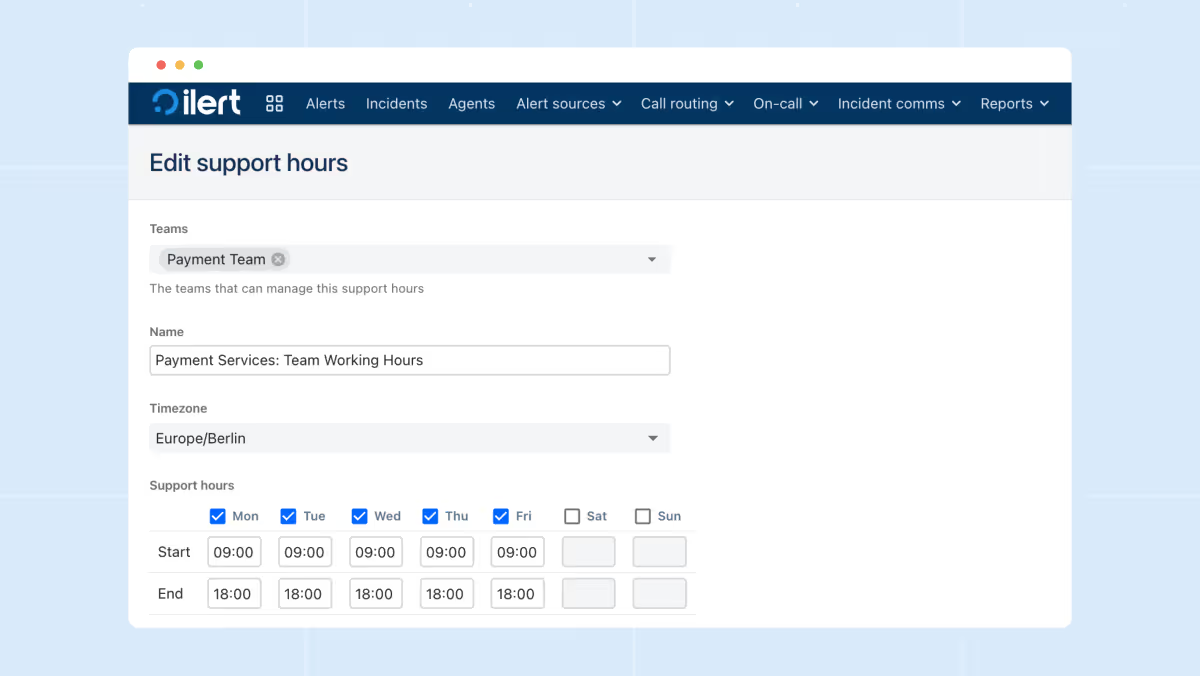
The Support hours feature in ilert lets teams define exactly when alerts should fire and how they should be routed using time-based rules. It acts as a guardrail that checks whether an event happens during business hours, outside them, or during specially defined windows. This allows teams to tailor behavior depending on urgency: critical incidents can escalate 24/7, while lower-severity issues can quietly wait until the next morning.
Support Hours can be simple (weekdays 9–5) or highly structured with multiple blocks, time zones, and logic layers. They’re ideal for organizations with different SLA tiers, global customer bases, or engineering teams who want to protect nights and weekends from non-urgent noise.
Holidays take this concept further. Internally, we jokingly call them “Support Hours on steroids.”
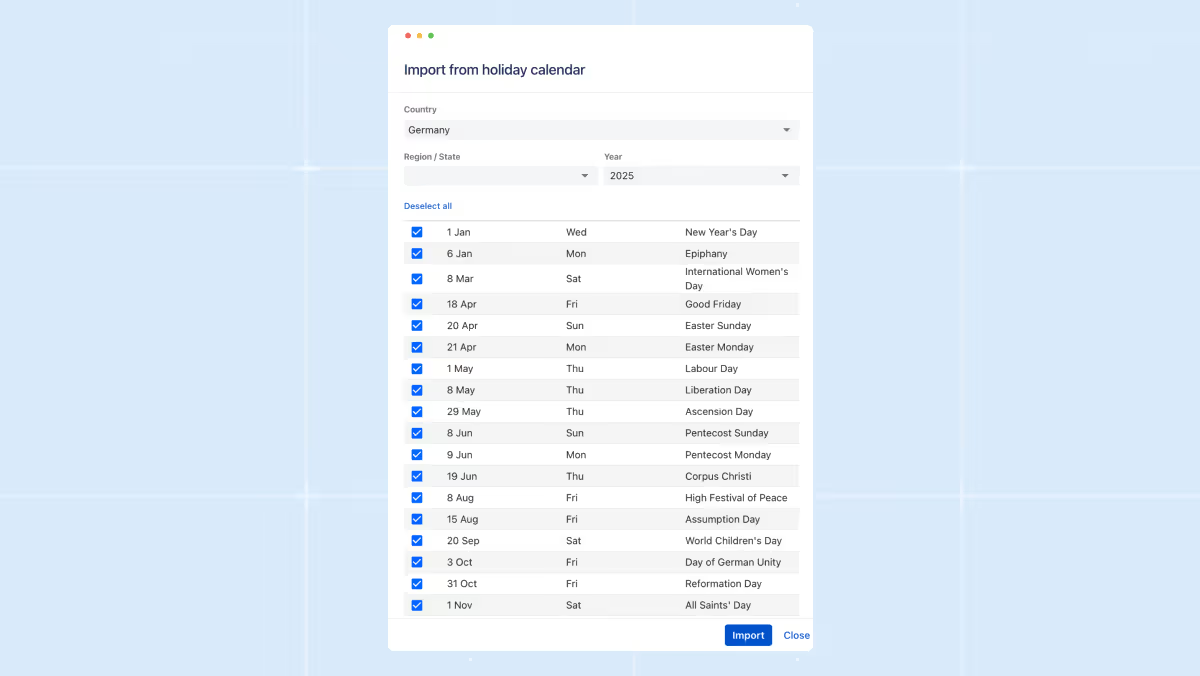
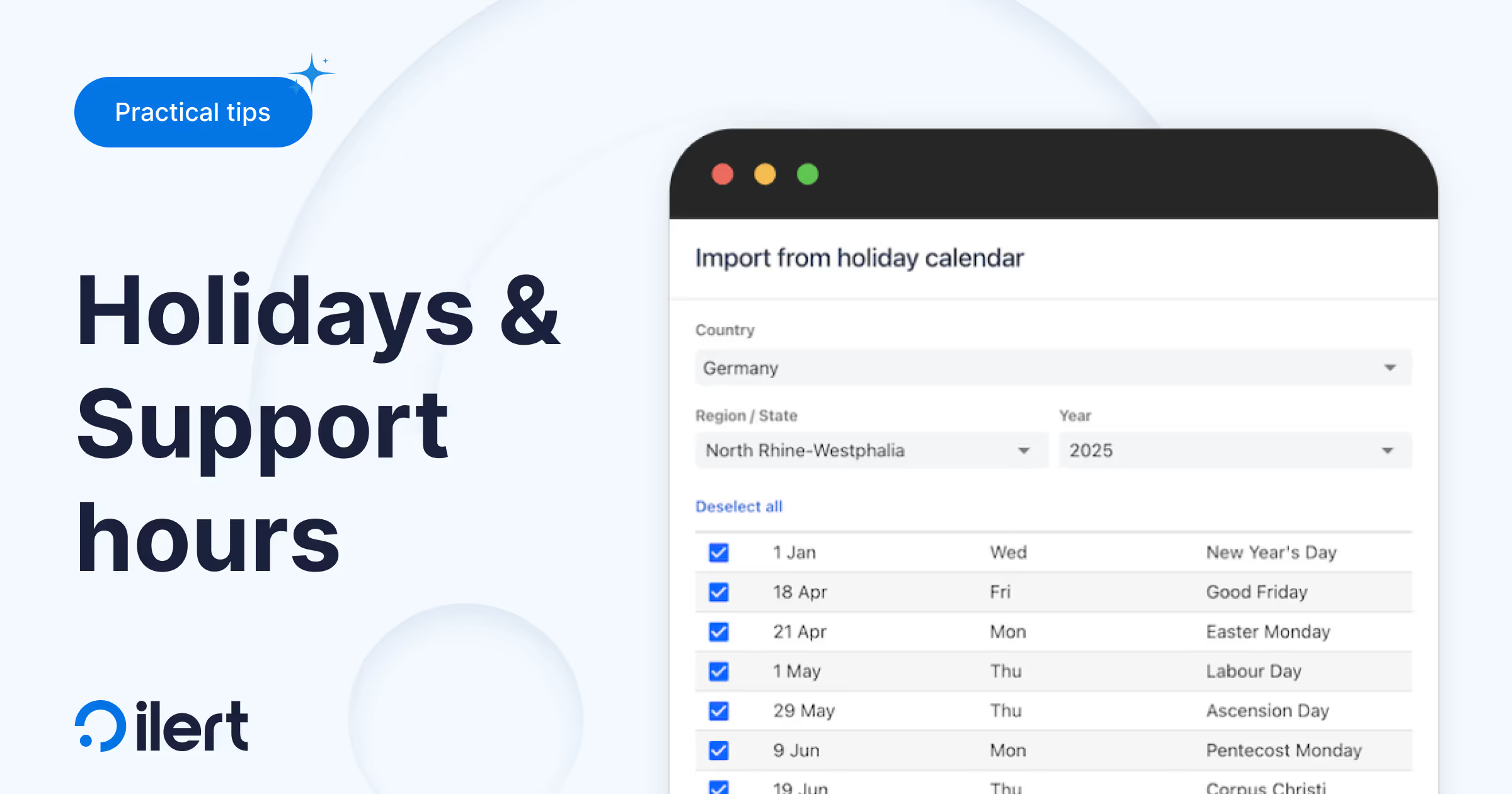
They let teams automatically exclude national holidays, company-wide days off, or regional observances from regular support windows. Instead of manually adjusting schedules every time a holiday rolls around, ilert matches your service hours with the relevant holiday calendar and automatically adapts routing.
This is especially powerful for distributed teams with country-specific holidays, or anyone who was accidentally paged on Christmas morning. Holidays ensure your escalation flow reflects the real world: fewer surprises for engineers, and cleaner operational coverage when the office lights are off.
Here is why your future self will thank you
We established Support hours and Holidays for fundamental reasons. We receive numerous support tickets daily, but December is a unique peak season, and we understand the challenges our customers face. Do any of these sound familiar to you?
- Coverage gaps appear at the worst time. With engineers taking well-earned time off, gaps in coverage become inevitable unless schedules adapt automatically. Without that automation, the burden shifts unevenly; someone ends up carrying extra on-call weight, or – worst of all – an engineer gets notified during their holiday. These gaps hurt morale and directly slow down incident response when uptime matters most.
- Manual fixes drain time you don’t have. Year-end work already demands focus, yet many teams still scramble through spreadsheets or Slack threads to patch schedules. These last-minute adjustments consume engineering time that should be spent on stabilizing systems, shipping features, or preparing for traffic spikes – not babysitting calendars.
- Escalations become noisy and inaccurate. When support hours and holidays aren’t fully integrated into the on-call logic, alerts fire at the wrong moments. People get pinged outside business hours, or urgent issues quietly fall through the cracks. In a peak season full of customer activity, misrouted alerts escalate quickly into incidents, impacting customers and leaving unpleasant red spots on your status pages.
- International teams feel the complexity even more. Distributed teams deal with a patchwork of national holidays, cultural observances, and regional support-hour rules. Without a system that adapts to each region’s calendar, some teams get overloaded while others are unintentionally under-utilized. This imbalance becomes especially dangerous when global usage spikes.
- Customers don’t pause their expectations. Even while internal teams slow down or go on vacation, SLAs keep ticking. Customers expect the same level of responsiveness, and any misalignment between support contracts and on-call coverage becomes painfully visible. Poorly controlled support hours during the busiest season don’t just inconvenience engineers – they damage trust.
Bonus: 8 tips for engineers on duty to avoid burnout during the pre-holiday rush
- Enhance your alerts. Clean up noisy monitors, retire outdated checks, and tune thresholds before traffic spikes. A quieter, more accurate alert setup pays off massively during high-stress weeks.
- Automate what you can. Small automations, such as log parsers, deployment scripts, and error-notification filters, save hours when systems get noisy.
- Use rotations effectively. Make sure on-call responsibilities are distributed fairly, and that holidays are properly reflected so no one works a stretch longer than they should.
- Rehearse failovers and edge cases. Run quick simulations or tabletop exercises with your team. Knowing how systems behave under load removes guesswork when real issues hit.
- Configure safety nets. Enable auto-remediation where appropriate, make sure backup contacts are defined, and double-check that escalations route correctly if someone is unavailable.
- Share context proactively. Post short updates in Slack or your incident channel about ongoing issues, infrastructure changes, or known risks. The next person on-call shouldn’t have to rediscover what you already know.
- Lean on your tools. Features like Support Hours and Holidays exist to reduce mental load. Let them do the heavy lifting so you don’t have to think about schedules or routing.
- If an incident happens, debrief faster. Short, focused post-incident reviews help teams resolve patterns quickly without sinking hours into analysis.