ilert introduces dedicated incident management



Not all alerts are created equal. Some are resolved quickly by the on-call engineer. Others signal something serious enough to affect your business and require your whole team to coordinate. That is why we redesigned incidents as a dedicated coordination workspace for the alerts that have the most business impact.
Until now, incidents in ilert were used to communicate status updates to customers and stakeholders. Creating one meant publishing to your status page. We have separated the two. Incidents are now internal. Status updates remain the way you communicate externally, and they go out only when you choose to post one.
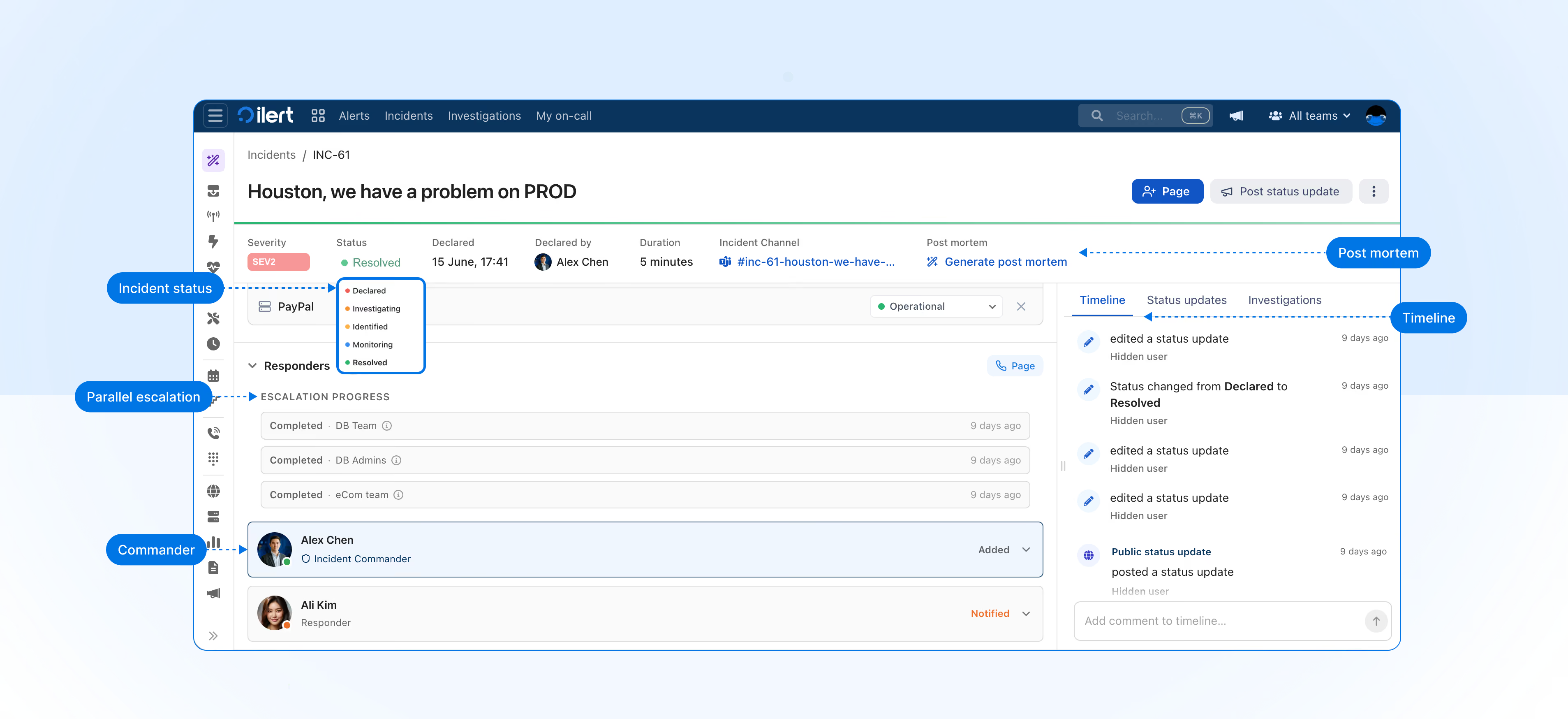
Inside an incident, your team can create an incident channel, run parallel escalations, track the timeline, manage status, and create post-mortems. Nothing reaches your customers until a status update is published.
Here is what changed and what is new.
Incidents are now your internal coordination workspace
Previously, creating an incident in ilert meant publishing an update to your status page directly. Incident coordination lived inside alerts, and information went public the moment an incident was created.
That's no longer the case, incidents are internal; nothing is public until you post a status update. Creating an incident opens an internal workspace for your response team, and nothing reaches your status page until you choose to publish a status update. The two are fully decoupled.
Alerts, incidents, and status updates
With this change, ilert now has three clearly separated objects, each with a different purpose:
- Alerts have not changed. They signal issues and page your team.
- Incidents are now a dedicated internal workspace for coordinating your response. They are no longer tied to your status page.
- Status updates are now separate from incidents. They are how you communicate with customers and stakeholders when you are ready.
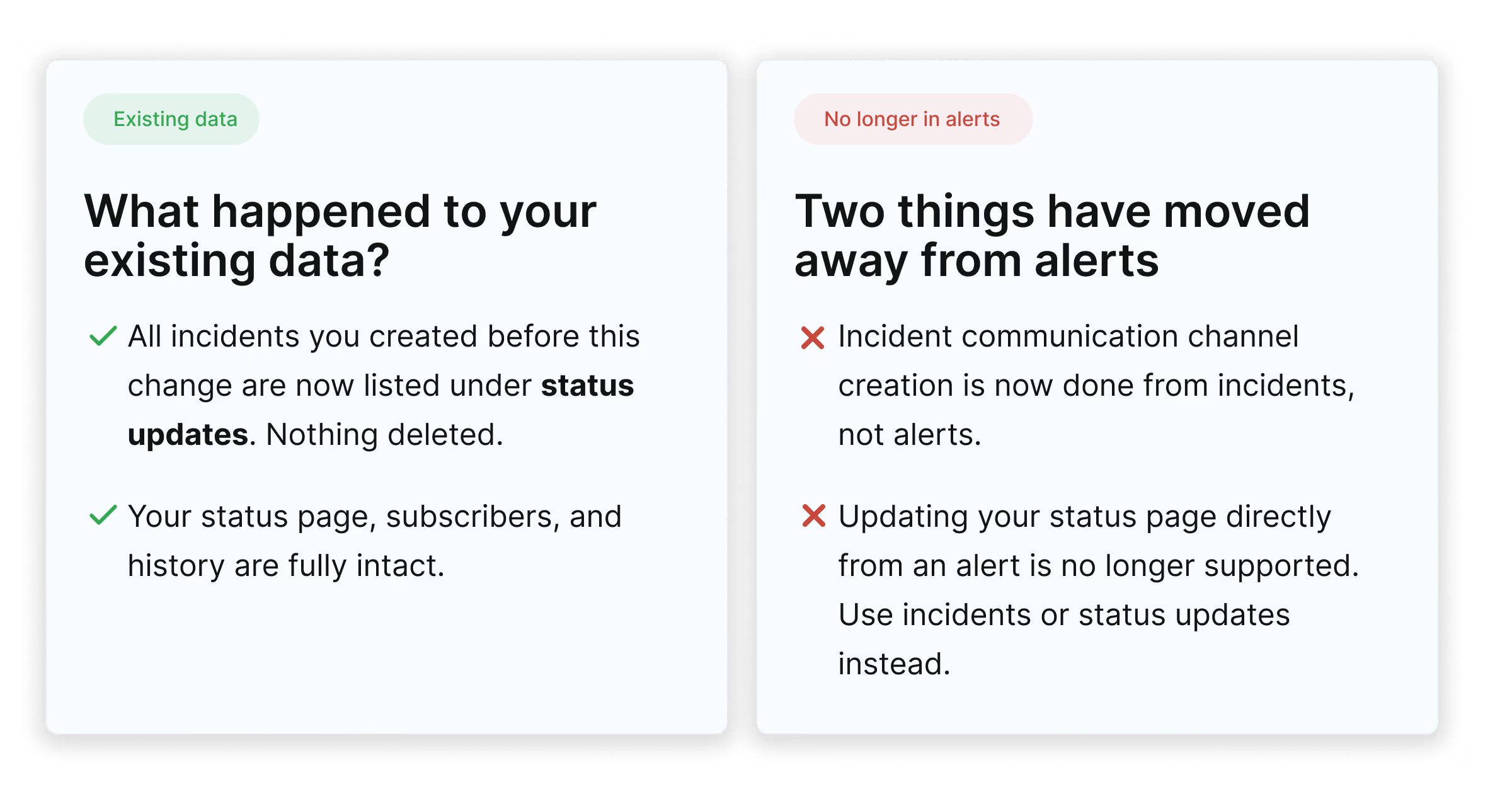
Your existing incidents will be migrated automatically to status updates. Nothing has been deleted.
Declare incidents with severity and a dedicated channel
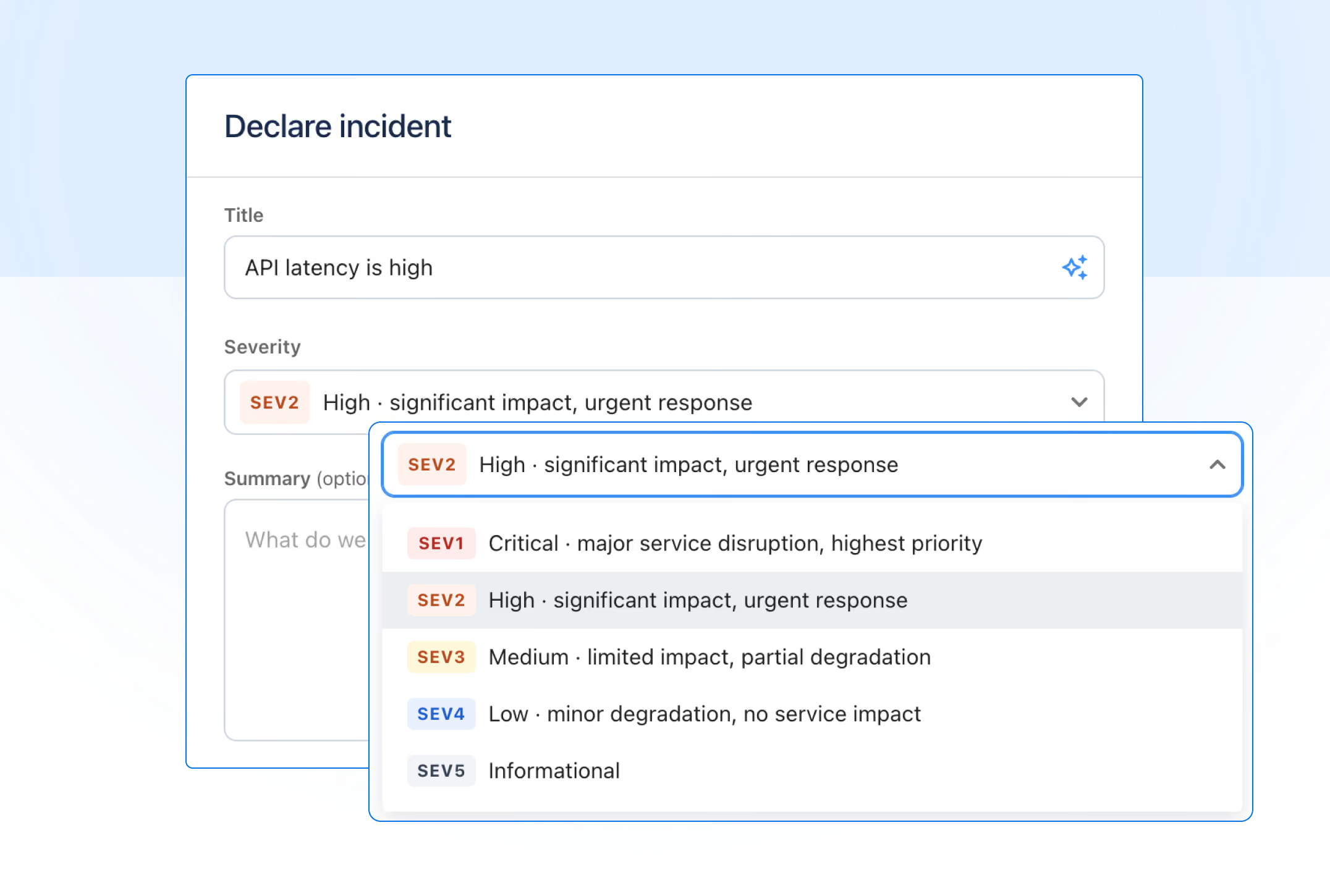
Two new fields appear when you declare an incident: severity and incident channel.
Severity
Severity lets you classify the business impact from the moment of declaration, which is useful for routing, reporting, and setting expectations with your team. When declaring an incident, severity is set to SEV3 by default and can be changed depending on your context.
Incident channel
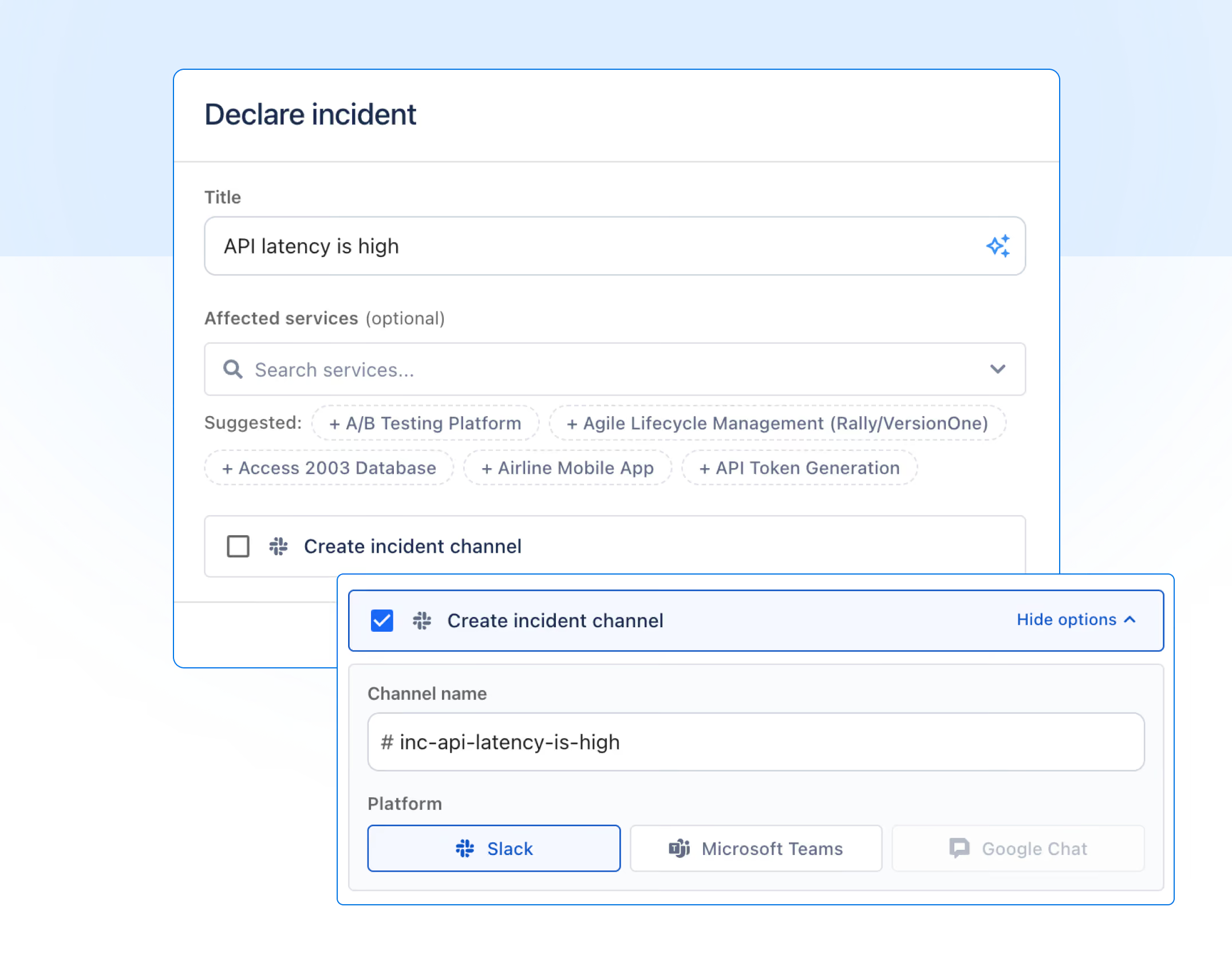
A dedicated channel can be created when you declare an incident. Previously this was done from alerts. It now lives in the incident, where all the context for that response is kept in one place.
A full response workspace: parallel escalation, incident commander, status, timeline, and post mortems
Once declared, the incident becomes the single place your team coordinates the response.
Parallel escalation
Page multiple teams and individuals at the same time when you declare an incident. You do not have to wait for one escalation chain to step through before paging the next.
You can trigger all of these simultaneously:
- An escalation policy
- An on-call schedule
- A full team, which pages every member at once
- A specific user, directly
When paging a team directly, the first member to join the incident stops the page for others, who receive a "page resolved" notification.
Incident commander
Assign a named person to own the response, giving the team a single point of accountability from declaration through to resolution.
Incident status
Status can be tracked and updated as the team works on the situation, keeping everyone internally informed on where the response stands.
Incident timeline
The incident timeline records every action, page, and change automatically in real time. Useful while the incident is running, and essential when writing the post mortem.
Post mortems
Post mortems have moved from status updates to incidents, where the full record of what happened actually lives. When you resolve an incident, a post mortem can be created and populated from the timeline, incident channel messages, and linked alerts.
Status updates: communicating with stakeholders
What was previously called an incident on your status page is now called a status update. The functionality is unchanged. Status updates now have their own dedicated page in ilert.
There are two ways to create a status update.
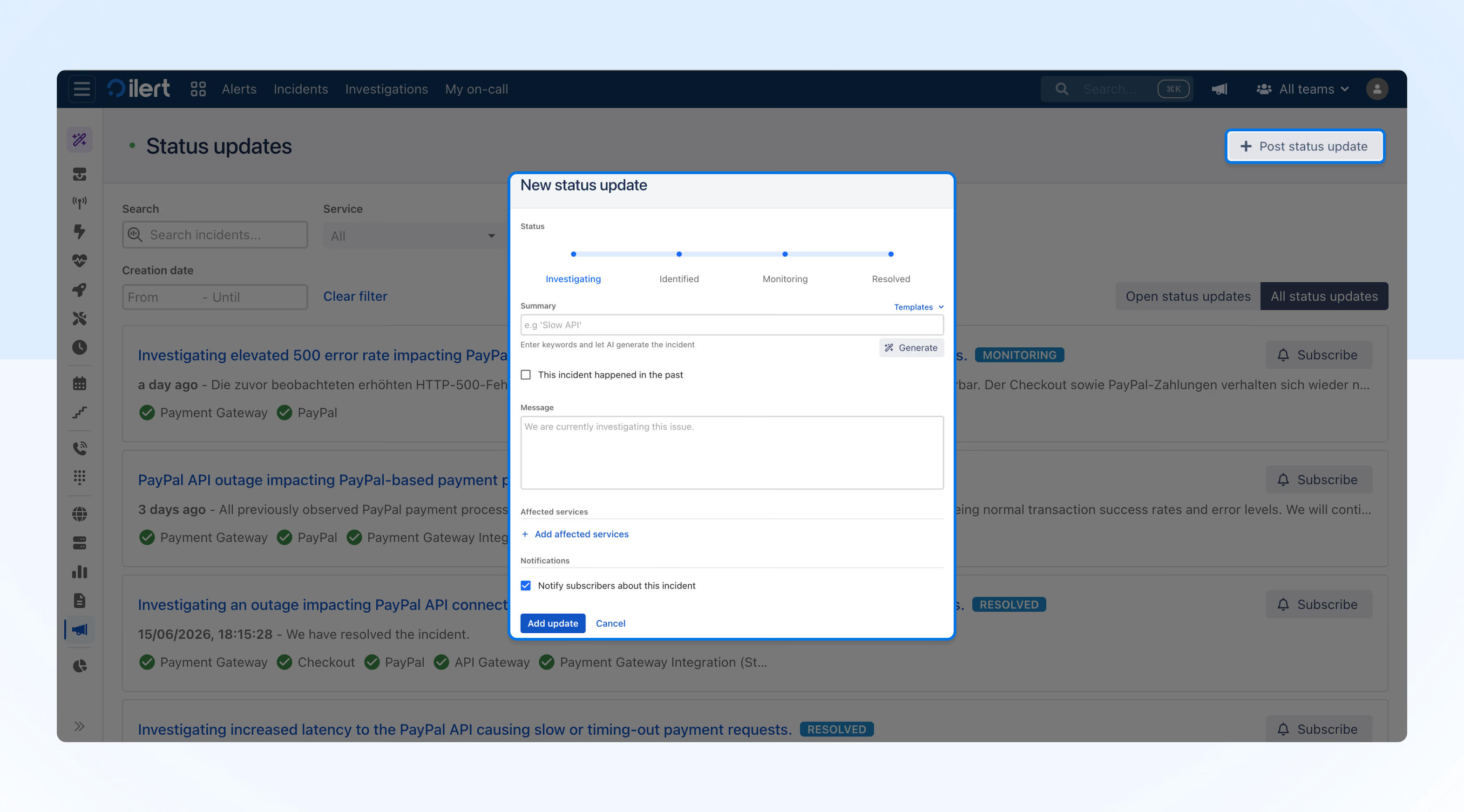
Post status update from status updates page
The status updates page gives you a dedicated view of all your published updates. Filter by service, status page, and creation date, and post new updates directly from there.
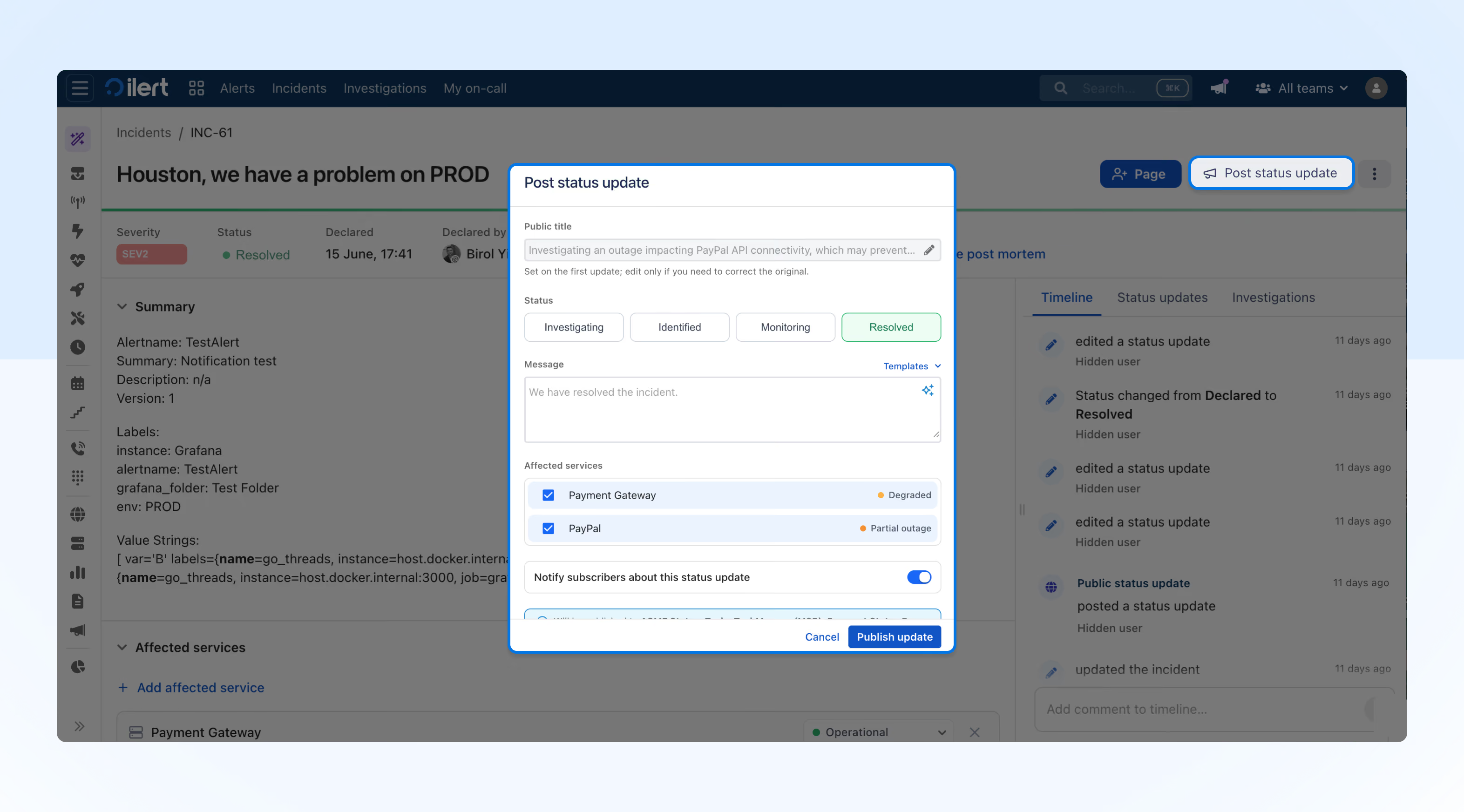
Post status update from incident (recommended)
Work the incident internally, then publish a status update when you are ready to communicate externally. The status update is linked to the incident, keeping your internal coordination and external communication connected.
In short, incidents now serve as an internal coordination layer with a dedicated set of tools to support your team during response. Status updates remain unchanged and are the communication layer used to inform your customers and stakeholders.
If you have any questions or need support navigating the new setup, reach out to your Customer Success Manager or contact our support team.
New to ilert? Try it for free and see how your team can coordinate faster when it matters most.